
I’ve spent the better part of four months bouncing between AI video tools for my own channel and for two creator clients, and the one thing I keep telling people is: stop reading “best of” lists from last year. This space resets every six to eight weeks.
New model version, new pricing tier, sometimes an entire product gets pulled. OpenAI shut down the Sora app and website on April 26 this year — the consumer product that half the “top 10 AI video generators” articles still recommend is just gone.
If a list you’re reading still has Sora sitting at #1 with a working sign-up link, that list hasn’t been touched since March.
So here’s what I actually use, what I paid for it, and where each tool let me down. No tool on this list is perfect. If a review tells you otherwise, they probably didn’t render past the free credits.
A quick note on how I tested: same three prompts across every platform — a product close-up with camera movement, a five-second talking-style clip, and one prompt that needed a consistent character across two shots.
I paid for the entry paid tier on each (not the top tier, because that’s not what most creators are actually buying), and I tracked how many retries it took to get something postable.
How they stack up side by side
| Tool | Entry paid price | Free tier worth using | Best for | Audio generated with video | Typical render time |
| Runway Gen-4.5 | ~$12-15/mo | Limited, one-time credits | Branded, cinematic clips | No | 1-3 min |
| Kling AI 3.0 | ~$7-10/mo | Small, resets daily, no commercial use | Realistic human motion | Limited | Often 5-15 min at peak hours |
| HeyGen | ~$24-29/mo | Yes, 3 short videos/mo with watermark | Avatar/talking-head content | Yes, lip-synced | Under 2 min |
| Google Veo 3.1 | $19.99/mo (Google AI Pro) | No real free option | Dialogue and ambient sound built in | Yes, native | 1-2 min |
| Pika Labs | ~$10/mo | Yes, small monthly credit allowance | Stylized effects, transitions | No | Under 1 min |
| Luma Dream Machine | ~$24-30/mo | Barely, one clip a day | Cinematic b-roll, brand visuals | No | 1-2 min |
| InVideo AI | ~$20-28/mo | Yes, 10 videos/week with watermark | High-volume scripted/faceless content | Yes, via voiceover | A few minutes per full video |
Note: Prices and credit allowances on every one of these shifts often enough that I’d treat the numbers above as a starting reference, not gospel — check the live pricing page before you commit a card.
1. Runway — still the one I open first when something needs to look intentional
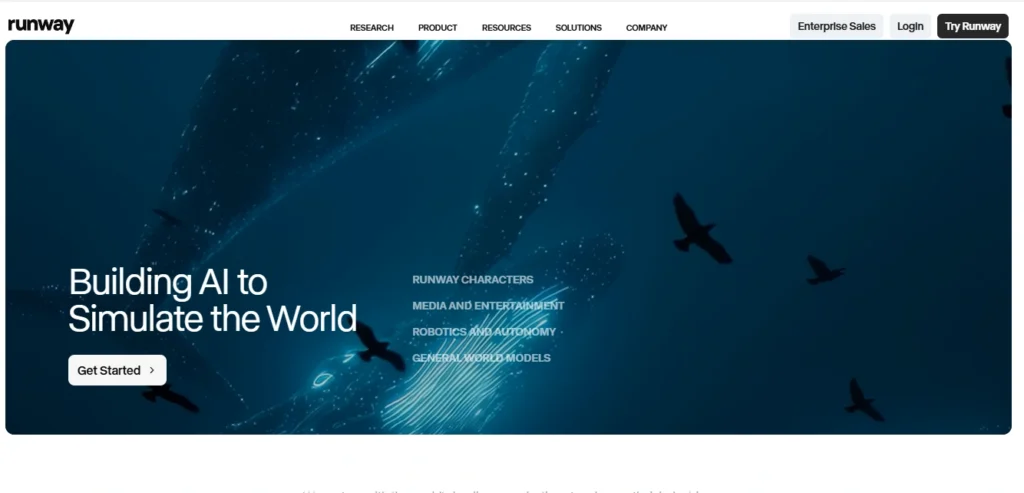
Runway’s Gen-4.5 model is the one I reach for when a client wants footage that looks shot, not generated. Camera moves hold together, faces stay consistent across cuts, and the Motion Brush tool lets you animate just one part of a frame — a flag, a character’s hair, a flickering sign — without touching the rest.
Act-Two, their performance-capture feature, is the one feature here I haven’t seen done as well anywhere else: you record yourself on a webcam and it drives the expression and head movement of a generated character.
The credit math is where it gets annoying. Gen-4.5 burns 25 credits per second. The $12/month Standard plan gives you 625 credits, which works out to roughly 25 seconds of finished Gen-4.5 footage a month — and that’s assuming every single generation is usable on the first try, which it won’t be.
I burned through an entire month’s Standard allowance in one afternoon just iterating on an 8-second product shot. Pro, at around $28-35/month, gets you closer to 90 seconds, which is a more realistic budget if you’re posting weekly.
What’s worth knowing: Runway has quietly turned itself into a model marketplace. Every paid plan also gives you access to Veo 3.1, Kling 3.0, and Seedance 2.0 inside the same interface, so you’re not locked into Runway’s own model if a different one suits the shot better.
- Best for: Creators and small agencies doing branded content and exploring the future of creative branding, ads, or anything where camera work needs to look deliberate.
- Where it falls short: The credit anxiety is real, and casual or high-volume social posters will outgrow Standard within a week.
2. Kling AI 3.0 — the best motion and faces for the money, if you can stomach the queue
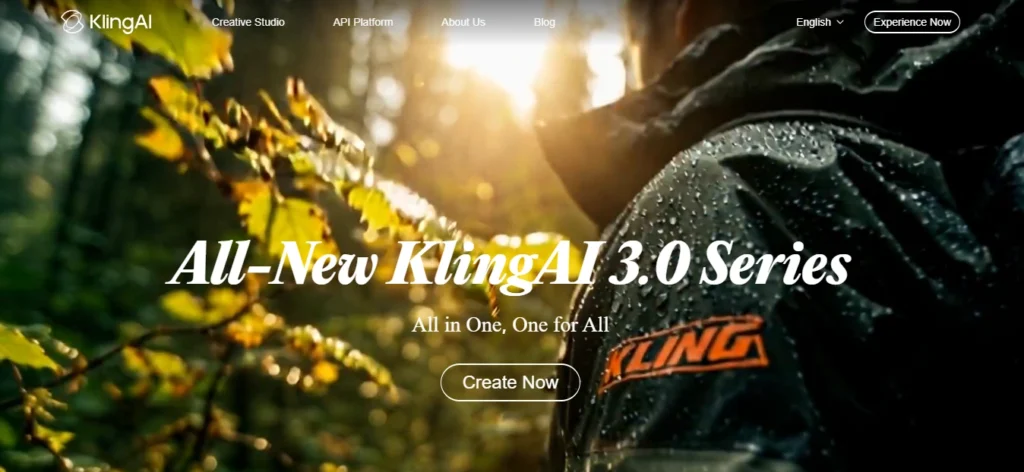
Kling is what I use when a clip needs a person in it who looks like they’re actually moving, not floating. Hand gestures, walking, dancing, dialogue — Kling handles human motion better than most of the tools on this list, and the lip-sync is close enough that I’ve used it for short dialogue clips without anyone calling it out as AI.
Pricing is messier than it needs to be. The headline Standard plan is around $6.99 for your first month, jumping to roughly $8.80-10 on renewal, with an annual option that brings it closer to $6.60/month.
A 5-second clip eats somewhere between 20 and 30 credits depending on resolution and mode, and the free tier’s 66 daily credits sound generous until you realize that’s about two clips before you’re locked out until tomorrow — and free-tier output can’t be used commercially anyway.
My actual gripe is speed. During peak hours I’ve had generations sit in queue for over fifteen minutes, which kills momentum when you’re trying to iterate quickly.
And hands still glitch on roughly one in four generations in my testing — fingers fusing, extra knuckles, the usual AI hand problem that nobody’s fully solved yet, serving as a reminder of why AI still makes simple mistakes.
- Best for: Realistic human movement — dance reels, talking clips, anything where the audience needs to believe a person is on screen.
- Where it falls short: Queue times during busy hours, and the pricing page genuinely takes effort to understand.
3. HeyGen — the one I actually use for my own channel every week
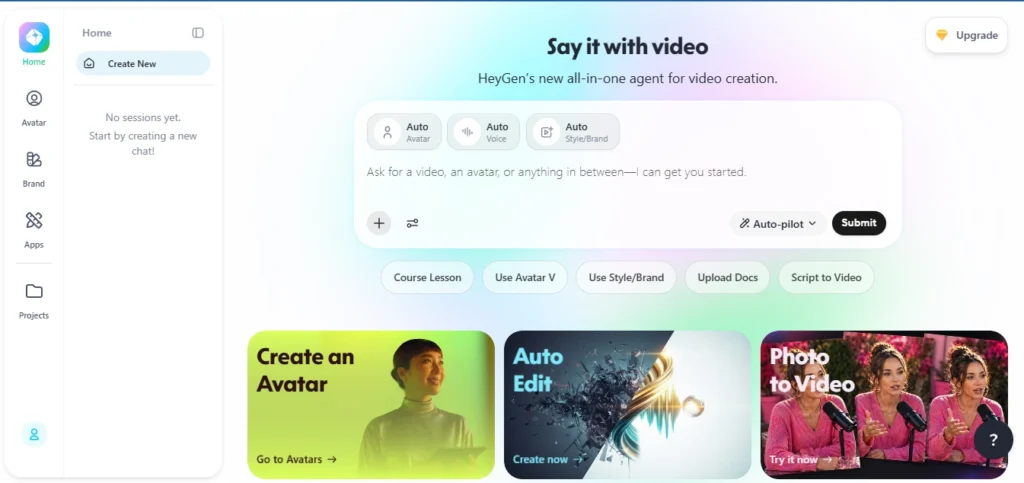
This is the only tool on this list I pay for out of my own pocket rather than expensing to a client, because it solves a problem none of the generative models do: a talking presenter on screen without me filming myself every single time. You build an avatar from a photo or a short recorded clip, type or paste a script, and it lip-syncs and adds natural micro-expressions.
The Creator plan runs $29/month monthly or about $24/month if you pay annually and gives you unlimited standard avatar videos.
The catch is the credit system underneath — your 200 monthly Premium credits only cover about 10 minutes of the higher-quality Avatar IV/V output, since that consumes roughly 20 credits per minute.
If you’re doing more than that, you’ll be buying credit top-ups at $15 for 300 more, and the “real” monthly cost ends up closer to $50-60 once you add priority processing or extra avatar slots. It’s a classic example of the AI cost trap what companies don’t budget for—the sticker price is rarely the final price.
What keeps me on it is the translation feature. I dub my videos into Hindi and Tamil with the same avatar, same lip movement, and it’s genuinely changed how much of my catalogue is watchable outside an English-speaking audience.
- Best for: Faceless or low-camera-time channels, course creators, anyone localizing content into multiple languages.
- Where it falls short: The add-on costs stack up fast, and talking photos look uncanny past about 15 seconds.
4. Google Veo 3.1 (via Gemini app and Flow) — the only one that builds sound into the clip itself
Every other tool on this list generates silent video that you then need to score separately. Veo 3.1 generates dialogue, ambient sound, and sound effects in the same pass as the video, synced to what’s happening on screen. That single difference saved me an entire editing step on a recent project — footsteps, background chatter, a door closing, all timed correctly without me touching an audio track.
Access runs through Google AI Pro at $19.99/month, which gets you somewhere around 90 generations a month in the Gemini app, or roughly 100 Lite-quality, 50 Fast, or 10 full-quality clips inside Flow, Google’s more controllable video tool.
Google AI Ultra at $249.99/month is the serious-production tier — multiples more credits — but that’s a hard number to justify unless video generation is directly making you money. One thing to flag if you’re planning around this: the older Veo 3 and Veo 2 API models are being shut down on June 30, so anything built against those needs to move to 3.1 now.
- Best for: Short clips that need dialogue or environmental sound baked in, without a separate audio workflow.
- Where it falls short: Ultra pricing is out of reach for most individual creators, and Pro’s monthly allowance won’t carry a daily posting schedule.
5. Pika Labs — for the stuff that’s not trying to look real
Pika is the odd one out here because it’s not chasing realism at all. Its Pikaffects library — melt, inflate, dissolve, crumble, “cake-ify” — produces stylized transformation clips that look genuinely different from everything coming out of Runway or Kling.
For short-form gimmick content, transitions, or social media content creation aimed at a younger audience that’s already used to this aesthetic on TikTok, it’s the most distinctive output on this list.
Entry pricing sits around $10/month, scaling up toward $35-70 for higher tiers, and generation is noticeably faster than Kling’s. It’s also the cheapest way to test AI video before committing real budget anywhere else.
Where it loses me is anything that needs to hold a character or a scene together across multiple shots — that’s not what it’s built for, and pushing it toward narrative work just produces inconsistent, slightly off results.
- Best for: Short-form effects, transitions, novelty content, quick low-cost experimentation.
- Where it falls short: Character consistency and anything resembling a real narrative.
6. Luma Dream Machine (Ray3) — the most cinematic-looking output without trying hard
Luma is the tool that makes me look better at prompting than I actually am. Its default output has a filmic, slightly HDR quality to it — depth, natural-looking light falloff, a sense of scale — that the other tools need a much more detailed prompt to get close to.
I’ve used it for product b-roll and brand establishing shots where the brief was basically “make it look expensive.”
The free tier isn’t worth building a workflow around anymore — it’s down to one short, watermarked 720p clip a day with no audio.
Entry paid pricing lands somewhere between $24 and $30 a month depending on which plan structure you land on (Luma’s pricing pages have shifted a couple of times this year), and at the higher Agents tiers, it bundles in access to Veo, Kling, and Seedance under one subscription, following the same multi-model trend Runway started.
- Best for: Brand visuals, cinematic b-roll, anything where the look needs to feel premium with minimal prompt effort.
- Where it falls short: Pay attention to which tier you’re buying, because the free option won’t sustain regular posting.
7. InVideo AI — not a generator, an assembly line, and that’s exactly when I reach for it
This one’s a different category from the rest of the list, and I almost left it off for that reason before deciding creators specifically need it included.
InVideo doesn’t generate original pixels from a prompt the way Runway or Kling do. You give it a topic or a script, and it assembles a finished video from stock footage, AI voiceover, auto-generated subtitles, and background music — closer to an automated editor than a video model.
That makes it the tool I’d point a faceless YouTube or explainer channel toward if they’re publishing several times a week and don’t have hours to spend prompting individual clips.
The Plus plan runs somewhere around $20-28/month for about 50 AI videos, and Max scales to roughly $50-60/month for 200. Their newer Generative tier, around $100-120/month, bundles in access to Veo 3.1 and previously Sora 2 — worth double-checking before you rely on that integration, given Sora’s own consumer shutdown this April.
Honest limitation: for niche or unusual topics, expect to manually swap out 30-50% of the stock B-roll it picks, because the automated matching isn’t always on target.
- Best for: High-volume scripted content — listicles, explainers, faceless channels publishing on a schedule.
- Where it falls short: It’s assembling existing footage, not creating anything original, so don’t expect a unique visual style.
What I’d actually pick depends on what you’re making
If you’re creating branded ads or anything that needs a polished, directed feel, Runway earns its price. When realism matters—like getting a person to move or speak naturally—Kling still does it better than most, even if you have to deal with queue times.
If you’re building around an AI avatar instead of showing your face, HeyGen is the one I’d pay for first. The built-in translation alone makes it worth it, especially since the audio is baked directly into the video.
Veo 3.1 (via Google AI Pro) is the only tool right now that consistently gets both visuals and motion right. If you just want something that looks good with minimal effort, Luma delivers. Want something fast, stylized, and affordable? Go with Pika.
And if you’re running a high-volume, faceless channel where you need finished videos—not raw clips—InVideo plays a different role than the others, and it does that job well.