
I’ve been generating AI images since the early DALL-E 2 days when hands looked like melted wax and every face had seven teeth. Things are different now.
I spent the last few months running the same prompts through every major tool — photorealistic product shots, poster designs with readable text, editorial illustrations, and the kind of “make this feel cinematic” brief that separates the good from the great.
After testing them properly, the first thing that became obvious: there is no single best AI image generator in 2026.
Each of the top tools has carved out a lane, and if you’re picking the wrong one for your actual use case, you’re wasting money and generating frustration, adding to the hidden costs of AI in business.
This article is about helping you pick the right lane — not ranking pretty demo images that look identical until you actually try to use them.
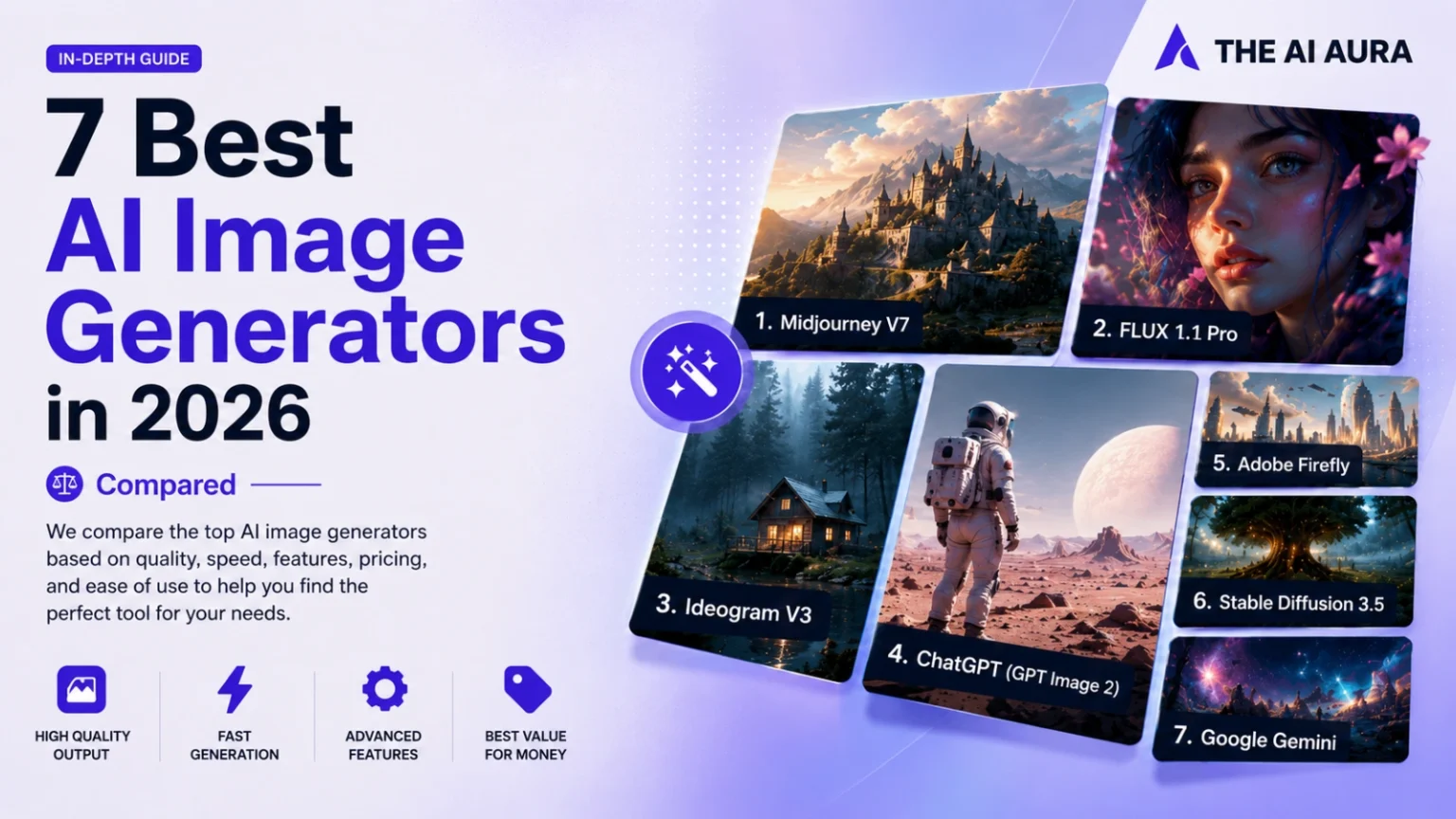
Quick Comparison: All 7 Tools at a Glance
| Tool | Best For | Biggest Strength | Biggest Weakness | Starting Price |
| Midjourney V7 | Art & editorial | Cinematic style, composition | No API, no free tier | $10/month |
| FLUX 1.1 Pro | Photorealism | DSLR-quality realism | Third-party UI only | ~$0.03/image |
| Ideogram V3 | Text in images | 90–95% text accuracy | Lower artistic range | Free / $7/month |
| ChatGPT (GPT Image 2) | Beginners, editing | Conversational iteration | Not quality leader | Free / $20/month |
| Adobe Firefly | Enterprise & agencies | Legal safety, IP indemnification | Slightly softer aesthetics | Free / $13.39/month |
| Stable Diffusion 3.5 | Developers | Full local control, free to run | Setup complexity | Free (self-host) |
| Google Gemini | Free users | Prompt adherence, detail capture | Lower artistic ceiling | Free / $19.99/month |
Scan that table and you’ll probably already know which one you need. The rest of this article is the “why” behind each pick — and the one same-prompt test that shows the differences more clearly than any spec sheet.
How We Tested
I didn’t pull screenshots from Reddit threads or lift outputs from the tools’ own marketing pages. Every image in this comparison was generated fresh, on paid accounts, using prompts I wrote for specific purposes — not prompts designed to make any one tool look good.
The prompt categories. Each tool was run through four brief types that represent real work: a mood-driven artistic scene (cinematic landscape, emotional direction included), a product photography shot (specific object, specific lighting conditions), a text-heavy design brief (event poster with full copy, specified layout hierarchy), and a complex multi-element composition (several distinct objects in one scene with a described relationship between them).
These four categories expose the specific failure modes each tool has — artistic tools struggle with text, text tools struggle with mood, photorealistic tools struggle with surrealism, and so on.
What counted as a pass. On the first generation, no prompt tweaking. Whatever came out is what I judged. If it took three regenerations to get a usable result, that counted against the tool, because in real workflows you’re working under time pressure and every failed generation has a cost — either in credits, money, or minutes.
Tools that required heavy prompt engineering to achieve results other tools hit on the first try were scored accordingly.
The accounts used. Midjourney Pro plan. FLUX 1.1 Pro via fal.ai. Ideogram Plus. ChatGPT Plus. Adobe Firefly Pro. Stable Diffusion 3.5 self-hosted with a mid-range consumer GPU (RTX 4070), plus Automatic1111 as the interface.
Google Gemini free tier, because that’s the relevant test for that tool — anyone with a Google One subscription should be treated as a separate use case.
What I wasn’t testing. Speed, uptime, mobile apps, team collaboration features. Those matter for workflow decisions but not for the core question this article answers: given a specific creative need, which tool produces the output you’d actually use?
The individual tool sections below reference specific results from that testing. Where a tool surprised in either direction, I’ve said so.
How AI Image Generators Actually Work
Every text-to-image tool follows roughly the same architecture under the hood. You give it a prompt, the model maps that text into a numerical representation, and then — using a process called diffusion — it starts from pure noise and progressively denoises toward an image that matches your description.
The technical details that actually matter for output quality are: how well the model was trained on diverse image-text pairs, how accurately it follows long and complex prompts (called “prompt adherence”), and whether the model was fine-tuned for specific aesthetics like photorealism or artistic style.
The thing that’s changed most dramatically in 2025–2026 is the editing layer. A year ago, you’d generate an image, hate one element, and regenerate from scratch.
Now, tools like ChatGPT’s image generation let you say “move the lamp to the left, change the jacket to navy, and remove the background shadow” — and it actually does it in context. That conversational editing loop has changed how serious creators use these tools.
One thing that still trips people up: the model doesn’t remember your character between sessions. If you want a consistent face or object across 30 images, you need to either use reference images or pick tools specifically built for character consistency.
The 7 Best AI Image Generators in 2026
1. Midjourney V7 — Best for Artistic and Cinematic Output
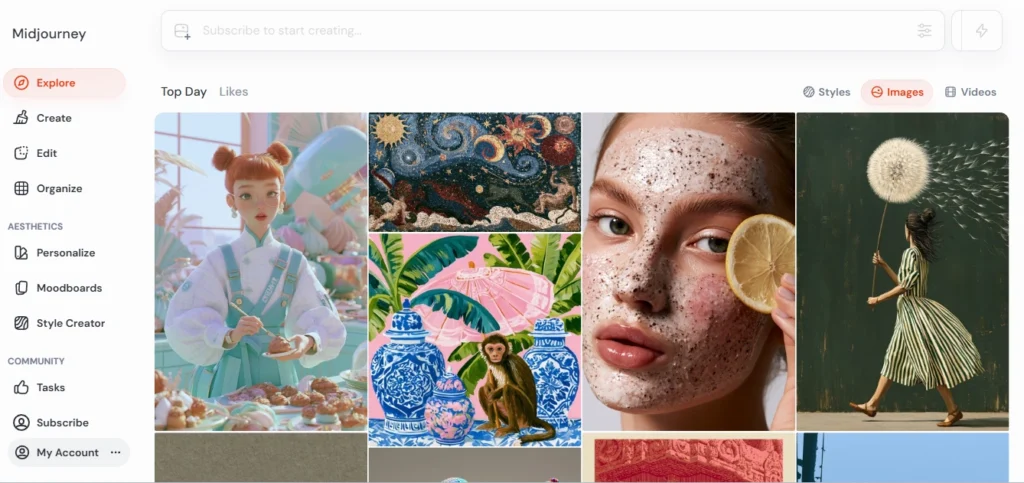
If you want images that stop someone mid-scroll, Midjourney is still where you go. Version 7, released in April 2025, widened the gap further on aesthetic quality.
The compositions feel intentional. The lighting has a mood to it. Editorial illustrations, cinematic stills, logo design, hero images for websites — this is where Midjourney earns its reputation.
I ran a test with the prompt: “A lone fisherman in a rowboat on a misty lake at dawn, long exposure, muted greens and blues, nostalgic.” Midjourney produced something that looked like a painting you’d buy. FLUX produced a technically excellent photograph. ChatGPT produced something usable.
There’s a reason Midjourney is the tool most designers quietly default to when nothing else looks quite right.
What’s improved in V7 specifically: text rendering. It’s not Ideogram-level (more on that in a moment), but Midjourney used to mangle words about 40% of the time on multi-word strings.
V7 has brought that down significantly. Still not reliable enough for poster design work, but for single words or short labels, it handles itself now.
There’s also a proper web app now. No more being stuck in Discord if you don’t want to be there. Canvas mode lets you do spatial editing — drag, outpaint, inpaint, compose — without typing slash commands. An experimental V8 Alpha appeared in March 2026 with generation speeds roughly 4–5x faster, though it isn’t the default yet.
The downside: Midjourney has a “look.” Images can come out too polished, too aesthetic — which is great for mood boards and editorial work, but for photorealism that’s supposed to look like you took it with a DSLR, that polish can actually work against you.
And there’s still no API, which makes it useless for anyone building automated pipelines.
- Pricing: $10/month (Basic, ~200 images) to $120/month (Mega). No free tier.
- Best for: Designers, content creators, art directors, anyone where “feel” matters more than literal prompt accuracy.
2. FLUX 1.1 Pro — Best for Photorealism
FLUX came out of nowhere — built by Black Forest Labs, which was founded by some of the original Stable Diffusion researchers. It arrived as a quiet challenger and quickly established itself as the photorealism leader.
Run a product photography prompt through FLUX 1.1 Pro and compare it to everything else. The skin textures are correct. Fabric has weight to it. Lighting has the imperfections you actually see in DSLR shots — and that’s the paradox: those small imperfections are why FLUX images read as more real than Midjourney’s technically superior but too-clean outputs.
In my testing with: “Premium matte black coffee tumbler on a marble kitchen counter, soft morning light, lifestyle product photography, minimal” — FLUX produced the most convincing product shot of any tool. It’s the one I’d show a client without spending 20 minutes in Photoshop first.
FLUX runs on a per-image pricing model through hosted APIs like fal.ai and Replicate, typically around $0.03–0.08 per image depending on the variant. No subscription lock-in. That makes it genuinely attractive for teams generating volume — you pay for what you actually use.
The catch is that there’s no official first-party web UI from Black Forest Labs. You’re accessing it through third-party platforms, which adds a layer of friction. Style documentation and community support aren’t as developed as Midjourney’s. And text rendering in FLUX is still rough — prompts with text in the image have maybe 30–40% accuracy on multi-word strings.
- Pricing: ~$0.03–0.08/image via API (fal.ai, Replicate, Together AI). No subscription.
- Best for: Photographers, product marketers, e-commerce teams, developers building image pipelines.
3. Ideogram V3 — Best for Text Inside Images
This is the one most people overlook, and they shouldn’t.
Every other AI image generator has a typography problem. Midjourney garbles words. FLUX struggles with multi-word strings. ChatGPT is decent but inconsistent.
Ideogram V3 renders text inside images with an accuracy that still feels disproportionate to how quietly it came about — sitting at around 90–95% accuracy on complex strings like event posters, social graphics, and product packaging.
I tested: “Minimalist event poster for ‘NORTH STAR CONFERENCE 2026’, subtitle ‘Where Innovation Meets Purpose’, dark navy background, gold typography, modern clean layout.” Ideogram got it on the first generation. Right words. Right hierarchy.
Typographic spacing that looked intentional rather than accidental. Midjourney’s attempt had “NORIH STAR” and a mangled subtitle.
If your work involves any kind of branded visuals with text — social media posts, YouTube thumbnails, posters, infographics, product mockups — Ideogram is the only serious tool to consider. The gap isn’t close.
Beyond text, Ideogram has been improving its general image quality significantly. V3 produces clean, professional outputs that aren’t at Midjourney’s artistic ceiling but are thoroughly usable for commercial work. There’s also a free tier with daily limits, which makes it genuinely accessible before you commit.
- Pricing: Free tier (limited daily generations) | Basic: $7/month | Plus: $16/month
- Best for: Marketers, social media managers, designers creating any visual that needs readable text.
4. ChatGPT Image Generation (GPT Image 2) — Best for Beginners and Iterative Editing
OpenAI retired DALL-E 3 as the default and built image generation directly into GPT-4o in early 2025, leaning heavily into how multimodal AI combines text, visual, and analytical processing. What you get now is called GPT Image 2, and it works differently from every other tool on this list in one important way: the editing loop.
You can describe what you want, get an image, and then have a conversation about it. “Make her jacket blue. Move the lamp to the left. Add rain on the window.” The model holds context across your edits. That’s genuinely easier than anything else when you’re iterating toward a specific result rather than regenerating from scratch hoping to land somewhere close.
GPT Image 2 isn’t the quality leader in any single category. Midjourney produces more cinematic outputs. FLUX is more photorealistic. Ideogram handles text better.
But for someone who’s never used AI image generation before, ChatGPT is the easiest on-ramp by a significant distance. And for use cases where “good enough with exact edits” beats “perfect on the third complete regeneration,” the conversational approach wins.
If you’re already paying for ChatGPT Plus ($20/month), you’re already getting this. There’s no additional cost to unlock.
- Pricing: Free tier (limited daily images) | ChatGPT Plus: $20/month
- Best for: Beginners, anyone in the ChatGPT ecosystem already, use cases that need iterative conversational editing.
5. Adobe Firefly Image Model 5 — Best for Commercial and Enterprise Use
Adobe Firefly is the only tool on this list whose primary competitive advantage has nothing to do with image quality. It’s legal safety.
Firefly is trained on Adobe Stock images, openly licensed content, and public domain material. That training data choice is the reason Adobe can offer commercial indemnification — meaning if you get sued over copyright in a Firefly-generated image, Adobe has legal provisions to cover you. No other major generator offers that in a meaningful way.
For individual freelancers and solo content creators, this distinction rarely matters. You’re making social posts and blog headers, not licensing images to Fortune 500 clients.
But for agency work, creative branding, and any enterprise workflow where a legal team will eventually look at how you’re generating imagery, Firefly is the right answer. The “Firefly tax” — the slight quality concession compared to Midjourney or FLUX at the artistic ceiling — is worth it the first time a client asks about training data provenance.
The integration into the Adobe ecosystem (Photoshop, Illustrator, Express) is seamless. Generative Fill, text effects, background replacement, inpainting — it all works inside tools designers are already using daily. The content credentials feature also lets you embed information about AI generation directly into the image metadata, which is increasingly relevant as regulators push for AI disclosure requirements.
- Pricing: Free credits monthly | Firefly Pro: ~$13.39/month | Enterprise: custom
- Best for: Agencies, brands, marketing teams, enterprise creative operations, anyone who needs defensible IP.
6. Stable Diffusion 3.5 — Best for Open-Source Control
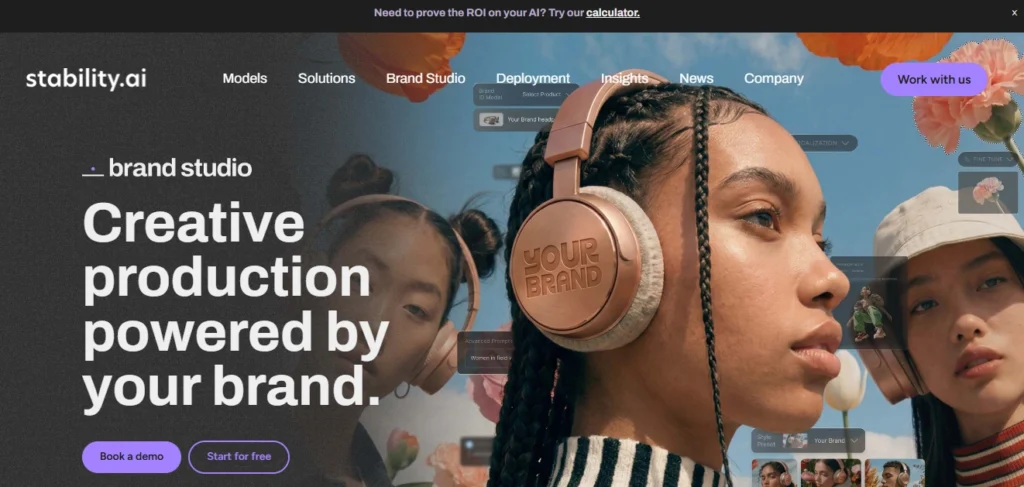
If you want to run your own model locally, pay nothing per generation, and have total control over every parameter — Stable Diffusion is still the only realistic answer and the clear winner in the debate over open vs closed AI models.
SD 3.5 (the current flagship from Stability AI) is a meaningful improvement over SDXL and Stable Cascade. Image quality has risen substantially. The open-source community around it is enormous — meaning there are thousands of fine-tuned models, LoRAs (lightweight style adaptors), ControlNet pipelines, and community tools built on top of it.
What you can do with Stable Diffusion that no other tool allows: run it on your own hardware with no cloud dependency, fine-tune it on your specific brand’s visual style, use it in fully automated pipelines without API rate limits or per-image costs, and keep your images private without needing a “stealth mode” subscription.
The cost of all that flexibility is setup complexity. Getting a properly configured SD pipeline running locally requires technical knowledge — VRAM management, model configuration, knowing which base model to pair with which LoRA. If you want to just generate images without fiddling, Stable Diffusion will frustrate you. If you want to build something custom, nothing else comes close.
- Pricing: Free to self-host (requires compatible GPU hardware) | Hosted on fal.ai/Replicate for near-free API access
- Best for: Developers, technical users, anyone who needs custom fine-tuning, privacy-sensitive workflows, high-volume use cases where per-image costs add up.
7. Google Gemini (Imagen / Nano Banana 2) — Best Free All-Rounder
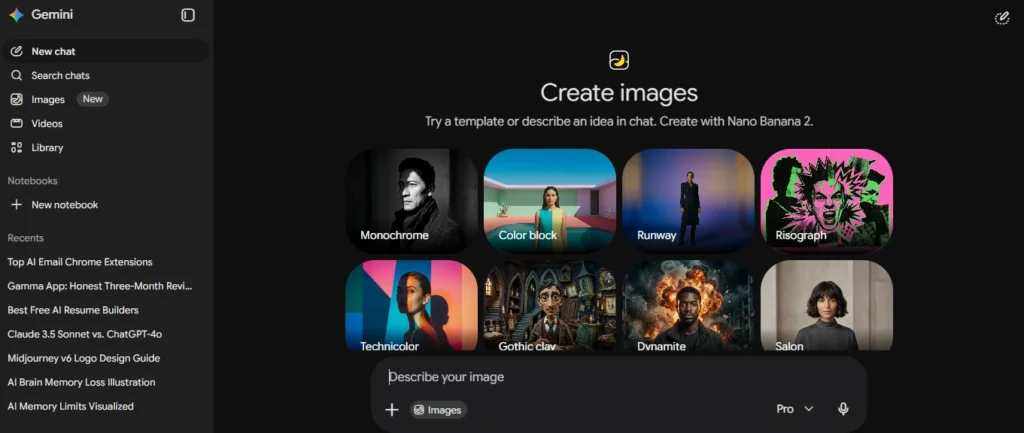
Google’s image generation — running through Gemini and powered by what they internally call Nano Banana 2 — has quietly become the best free option available in 2026.
What makes it worth including: prompt adherence. In testing, Gemini picked up more specific details from prompts than almost any other model. The “tea shop at night in the rain” test I ran across several tools — Gemini captured the metal kettle with steam, the glass cups, warm yellow light, wet road reflections, and small details like individual raindrops. Most other tools missed at least three of those.
The output quality feels more cinematic and natural than what you get from typical free tiers. It uses daily limits rather than a credit system, which is more predictable for casual users. And Google doesn’t claim ownership of content you create — you retain the images.
It sits below Midjourney on pure artistic ceiling and below FLUX on photorealism, but for a tool you can access for free through the Gemini interface, the quality gap with paid competitors has narrowed to the point where many use cases don’t need anything more.
- Pricing: Free (daily limits) | Google One AI Premium: $19.99/month for higher limits
- Best for: Casual creators, bloggers, anyone who wants solid all-round quality without spending anything.
Which One Should You Actually Use
This question matters more than any benchmark score, so here’s the honest breakdown:
- You’re creating editorial content, mood boards, or artistic work → Midjourney V7
- Your images need to look like real photographs → FLUX 1.1 Pro
- You need readable text anywhere in the image → Ideogram V3 (non-negotiable)
- You’re new to AI image generation or need to edit iteratively → ChatGPT (GPT Image 2)
- You’re doing agency or enterprise work with IP liability concerns → Adobe Firefly Image Model 5
- You want full control, local deployment, or custom fine-tuning → Stable Diffusion 3.5
- You want solid quality for free → Google Gemini
Most serious creators end up using two tools. The common combination: Midjourney for hero images and mood boards, Ideogram for anything with text, and ChatGPT in the loop for iterative edits. That stack runs around $45–50/month and covers almost every image creation use case you’ll actually encounter.
A Note on Copyright and Ownership
The U.S. Copyright Office has ruled that generating an image from a prompt alone doesn’t make you the legal author of the output — and the Supreme Court declined to revisit that in March 2026. For most use cases, this doesn’t affect daily workflows. You’re not licensing these images; you’re using them in social posts and blog headers.
But if you’re building a business around AI-generated content where IP ownership is material, two things help: first, modifying and integrating AI images into your own design work strengthens your position; second, Adobe Firefly’s commercial indemnification is the only real legal backstop in the market right now.
Over 70 copyright lawsuits against AI image companies are currently moving through the courts, including a major case naming both Stability AI and Midjourney going to trial in September 2026. This space has legal uncertainty baked in. Proceed with awareness.
Prompting Basics That Actually Matter
No matter which tool you use, or whether you prefer leaning into autonomous AI agents vs prompt engineering, the biggest mistake is giving up after one generation. The best AI images take 2–3 iterations minimum — generate, review, refine, repeat. That’s the actual process. It’s not a vending machine.
The second mistake is vague prompts. “Nice background” means nothing to a model. Describe what you actually see in your head: specific colors, lighting direction, mood, composition, camera distance, reference style. The more specific, the less the model guesses.
The third: don’t confuse “this tool is bad” with “this prompt doesn’t match this tool’s strengths.” Text-heavy poster prompts through Midjourney will always disappoint you. Ethereal artistic landscapes through Ideogram will feel flat. Use the right tool for the job and the results change immediately.