
If you’ve been around AI tools lately, you’ve probably seen the term “AI agents” everywhere. It’s often presented as the next big leap — systems that don’t just answer questions but actually do things for you.
That part is true. But the way it’s usually explained? Not so much.
Most real-world “agents” today are still early-stage systems. They work well in controlled environments, but once you introduce unpredictable inputs, APIs, or real users, things can get messy very quickly.
I’ve seen this firsthand.
We once built what we thought was an internal onboarding “agent.” It could read company documents, answer employee questions, and even guide users through basic workflows. Everything looked solid in testing.
Then someone asked it for a specific tax document.
Instead of fetching it from the system, the model generated a completely made-up link. It looked convincing. It even followed the company’s URL format. But it didn’t exist.
That wasn’t a bug in the traditional sense. It was a design problem.
So What Exactly Is an AI Agent?
A simple way to think about it:
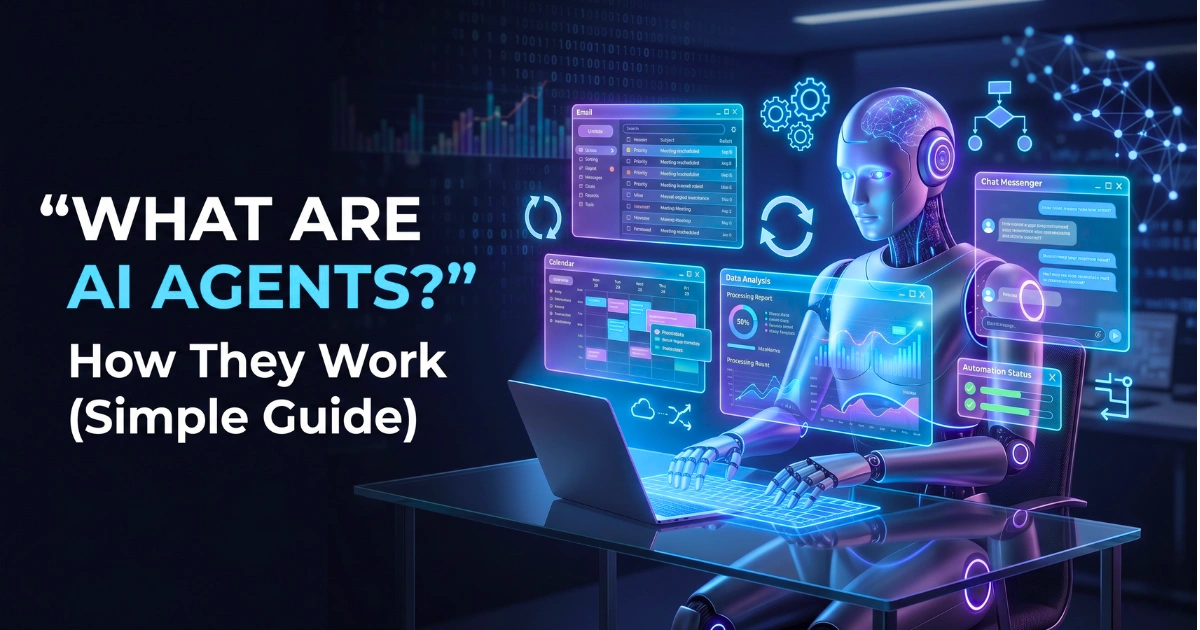
An AI agent is not just a model — it’s a looped system.
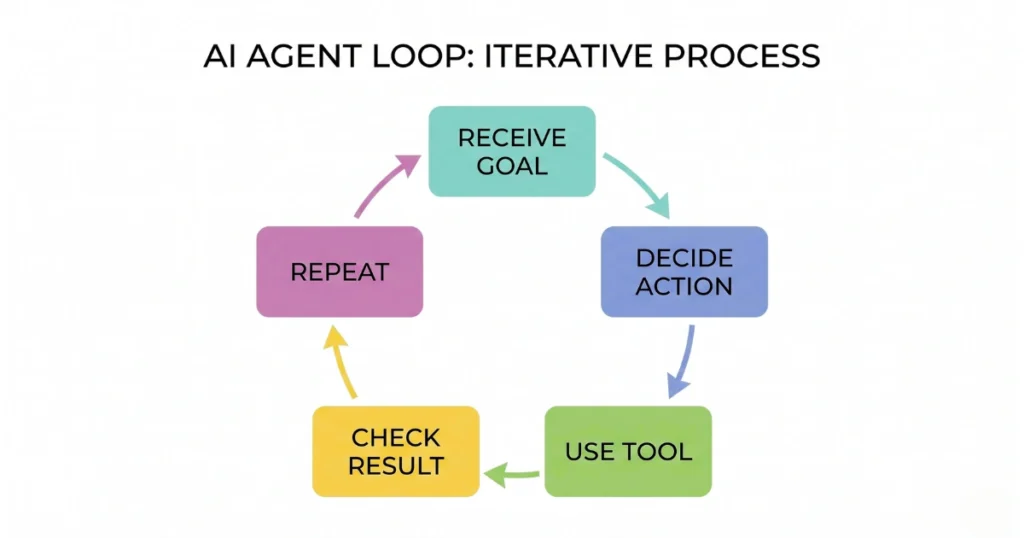
Instead of responding once like a chatbot, it:
- Receives a goal
- Decides what step to take
- Uses a tool (API, database, etc.)
- Checks the result
- Continues until the task is done
That loop is what separates agents from basic AI applications.
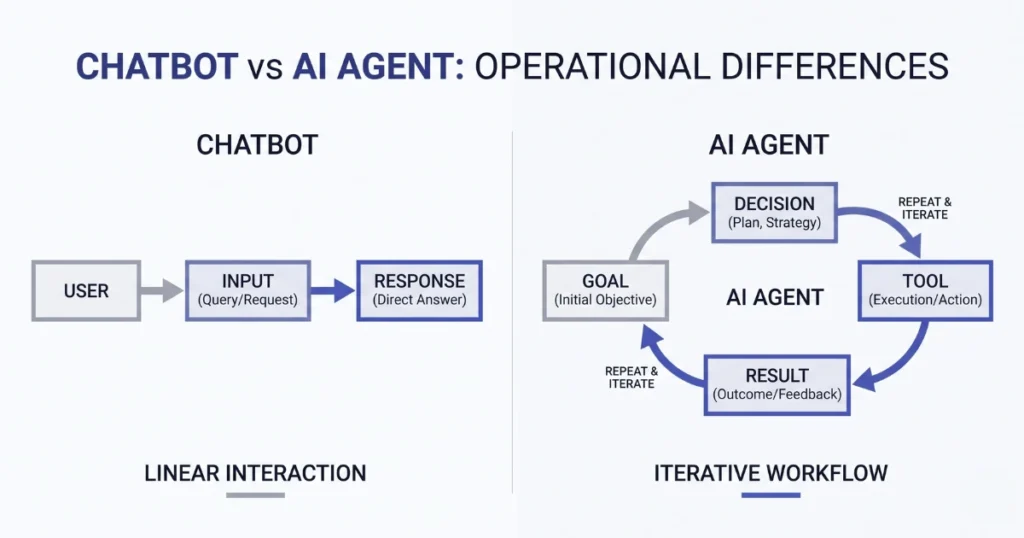
A chatbot might answer: “Here’s how to reset your password.”
An agent could: Detect the issue → verify identity → trigger the reset → confirm completion.
Same domain, completely different level of responsibility.
Why This Shift Matters
Traditional AI tools are passive. They wait for input and return output.
Agents are different because they’re expected to interact with systems:
- Internal tools
- External APIs
- Databases
- File systems
That changes the risk profile entirely.
When a chatbot makes a mistake, it gives a wrong answer. When an agent makes a mistake, it can:
- Call the wrong API
- Return outdated or incorrect data
- Trigger unintended actions
That’s why building them requires a different mindset.
Under the Hood (Without Overcomplicating It)
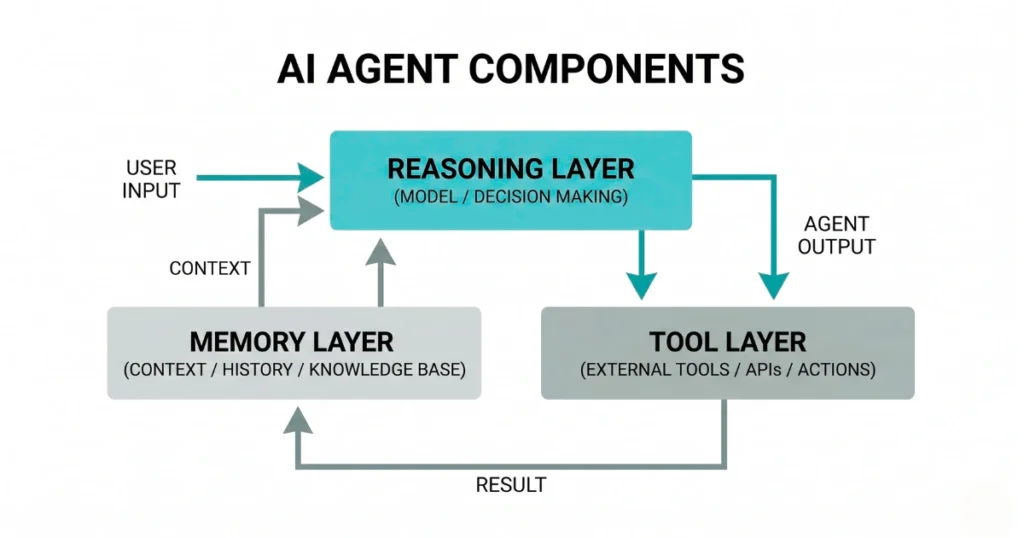
Most working agent setups — whether simple or advanced — usually rely on a few core pieces.
There’s a reasoning layer (the model), which decides what to do next. There’s some form of memory, which keeps track of context beyond a single message. And there’s a tool layer, which is where actual execution happens.
That last part is the most important.
Without tools, an agent is just thinking. With tools, it can act.
Where Things Start to Break
A lot of early implementations fail in predictable ways, even if the initial demo looks impressive.
One common issue is over-reliance on prompts.
You can try to “force” good behavior by writing detailed instructions, but the moment the environment changes — a new input format, a slow API, unexpected data — those instructions start to fall apart.
Another issue is too much flexibility too soon.
Giving an agent access to multiple tools sounds powerful, but in practice it often leads to confusion. The system spends more time deciding what to do than actually doing it.
And then there’s the lack of visibility.
If something goes wrong, you need to understand:
- What the model saw
- What it decided
- What action it took
Without that, debugging becomes guesswork.
Where AI Agents Actually Make Sense
Despite the challenges, agents are useful — just not everywhere.
They tend to work best in situations that are:
- Repetitive
- Structured
- Clearly defined
For example:
- Pulling data from a database and formatting reports
- Handling predictable support workflows
- Automating internal operations with known steps
They struggle more with:
- Highly ambiguous tasks
- Poorly structured data
- Environments with constant change
A More Realistic Way to Approach Them
Instead of thinking, “Where can I use an AI agent?”
A better question is: “Where does this process already have clear steps, but still requires manual effort?”
That’s where agents can actually help.
And even then, it’s usually better to start small:
- One task
- One tool
- One clear outcome
Then expand only after it works consistently.
Final Thought
AI agents aren’t magic systems that replace entire workflows overnight. They’re closer to early-stage automation layers that still need careful design and oversight.
The gap between a working demo and a reliable production system is still very real.
But when they’re built with the right constraints — limited scope, clear tools, proper monitoring — they can take on meaningful work.
Not everything. But enough to matter.
FAQs
- Are AI agents the same as chatbots?
No. Chatbots generate responses. AI agents are designed to take actions using tools and follow multi-step processes. - Do AI agents work reliably today?
They can, but mostly in controlled environments with well-defined tasks. Reliability drops when inputs or systems become unpredictable. - Do I need an AI agent for my project?
Not always. If your use case is simple or single-step, a standard AI model or workflow is usually enough. - What’s the biggest mistake people make with agents?
Trying to do too much too early — especially adding multiple tools or removing human oversight before the system is stable.