
A personal AI agent doesn’t stop working when you close your browser. Instead, it runs in the background, holds onto context between conversations, and takes action inside your apps whether you ping it over chat, email, or voice.
The whole category barely existed a year ago. Peter Steinberger kicked it off in November 2025 with Clawdbot, a weekend side project that eventually became OpenClaw. Twelve months later, Google, OpenAI, Meta, and Perplexity all have their own takes on the idea.
Right now, the market splits cleanly down the middle. Self-hosted agents run on your own hardware or server and let you plug in whichever model you want. In contrast, managed agents live on a vendor’s cloud VM and come wrapped inside a monthly subscription.
How the Ranking Works
Handing software access to your inbox, calendar, and credit card changes what matters. Raw intelligence is less important than whether you can trust the thing not to wreck your afternoon. The rankings below reflect overall fit for an individual user across three areas:
- Memory: What sticks around between sessions, where it lives, and whether you can actually read, edit, or wipe it yourself.
- Security: What the agent is allowed to do out of the box, where the isolation boundary sits, how approval prompts work, and what has already gone wrong in public.
- Cost: Either the flat subscription fee or the combined reality of hosting and API token bills.
According to MarkTechPost, everything here is drawn from vendor documentation, launch announcements, and independent security audits, using US list prices as of November 21, 2026.
At a Glance
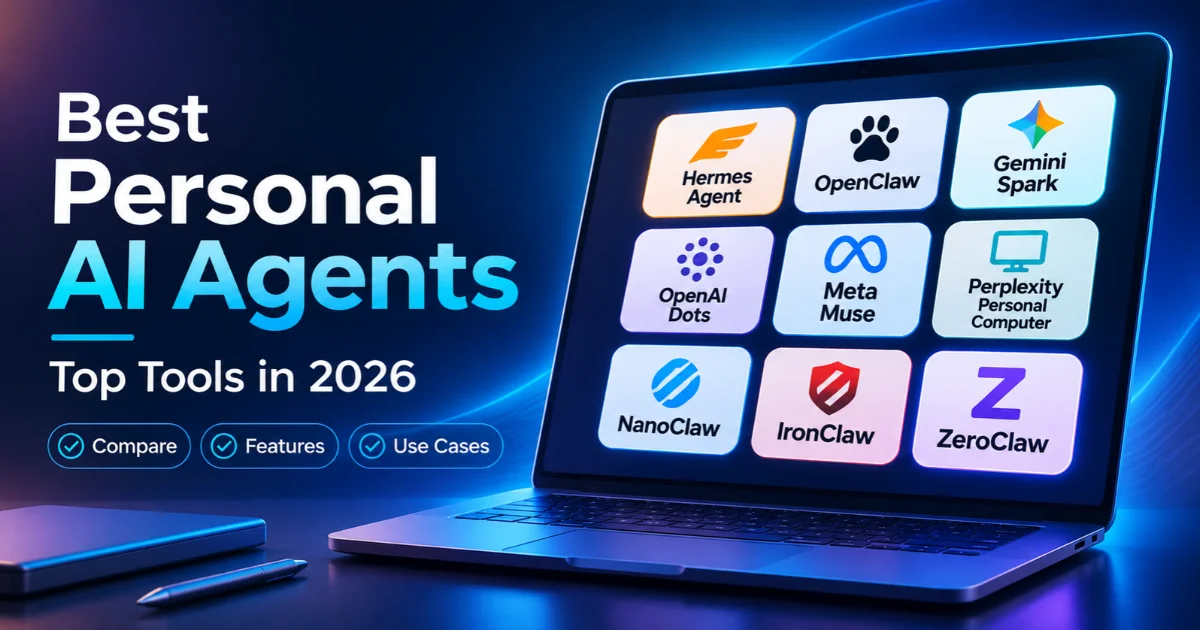
| Rank | Agent | Maker | Runs On | Memory | Security Default | Starting Cost | Best For |
| 1 | Hermes Agent | Nous Research | Your machine or server; Docker, Modal, Daytona backends | MEMORY.md, USER.md, SQLite FTS5 search, self-written skills | Manual approvals, denied on timeout; hardline denylist | Free (MIT) plus model tokens | Developers who want an agent that learns |
| 2 | OpenClaw | OpenClaw Foundation | Your machine or server; opt-in sandbox | Editable Markdown files; SQLite sessions since 2.0 | Full host access unless sandbox is turned on | Free (MIT) plus tokens; managed hosts around $12 to $49/mo | Widest chat-channel reach |
| 3 | Gemini Spark | Dedicated Google Cloud VMs | Google account context via connected apps | Asks before spending money or sending email | $19.99/mo AI Pro (US) | Google Workspace users | |
| 4 | OpenAI dots | OpenAI | OpenAI cloud computer; optional connected computer | Chats, ChatGPT memory, and the dot’s own notes | Proactive research is read-only; passwords hidden from model | Included in eligible ChatGPT Pro and Business Premium plans | ChatGPT and Codex power users |
| 5 | [suspicious link removed] | Meta | Muse Secure VM in Meta’s cloud | Learns preferences; forgets on request | Sentinel agent gates internet access; approvals for email and purchases | Free; $20 and $100 tiers | Everyday errands on a free tier |
| 6 | Perplexity Personal Computer | Perplexity | Your Mac plus Perplexity cloud | Not detailed publicly | On-device authorization, 2FA, audit trail | Pro or Max subscription | Mac users who need local files |
| 7 | NanoClaw, IronClaw, ZeroClaw | Open-source projects | Containers, WebAssembly, or a small Rust binary | Varies by project | Isolation on by default | Free plus tokens | Security-first self-hosters |
1. Hermes Agent (Nous Research)
Nous Research built Hermes Agent for people who don’t mind opening a terminal and want an agent that actually gets better at their specific workflows over time.
You can run it from a terminal UI, a native desktop app, a local web dashboard, or messaging gateways Parallel counted roughly 25 supported platforms as of October 2026, covering Telegram, Slack, WhatsApp, Signal, Teams, and email, with native iMessage added in June 2026.
Memory is where Hermes pulls ahead of everything else. It maintains persistent MEMORY.md and USER.md files, tidying them up with periodic nudges, while storing session history in SQLite with FTS5 full-text search and LLM summarization. If you want more, it supports pluggable backends like Honcho user modeling plus more than eight community options.
Better yet, Hermes writes its own skills using the agentskills.io standard, turning messy multi-step tasks into reusable routines and refining them as it goes. The /learn command lets you save a workflow as a slash command without manually writing a SKILL.md file.
Security and Pricing
On security, Nous documents a seven-layer defense-in-depth setup covering user allowlists, DM pairing, and human approval for destructive commands.
Approval mode can be manual, “smart” (where a secondary model scores risk), or turned off. Crucially, the defaults fail closed: ignore an approval prompt for 300 seconds and the action gets denied, and your personal deny rules hold even if you turn on YOLO mode.
Nous doesn’t sugarcoat the limits, either. The docs explicitly note that a denylist won’t stop a compromised agent, and SECURITY.md points to OS-level isolation as the only real boundary. Because of this, if you’re giving Hermes broad tool access, run it on Docker, Modal, Daytona, or Vercel Sandbox.
The software is MIT-licensed and free. You bring your own API keys from OpenRouter, OpenAI, or Anthropic, or run local models through Ollama and vLLM to drop token costs to zero.
Additionally, Nous Portal is an optional paid route with Free, $20, $100, and $200 monthly tiers. For most developers, this is the strongest open-source choice just don’t run it bare on your main laptop and expect the denylist to save you.
2. OpenClaw (OpenClaw Foundation)
OpenClaw is the reason this category blew up. What began as Clawdbot in November 2025 went viral in January 2026, and by August 31, 2026, 933 contributors had shipped OpenClaw 2.0 (v2026.8.1). Release 2026.9.5 followed with atomic updates and plugin hot reload.
A central Gateway process handles routing, cron jobs, and a Control UI across 26 channels as of v2026.6 including WhatsApp, Telegram, iMessage, Teams, Matrix, and Signal and works with OpenAI, Anthropic, Google, DeepSeek, xAI, Kimi, Ollama, and OpenRouter.
Its memory system is refreshingly plain. Behavior lives in Markdown files you can open in any text editor: SOUL.md defines the persona, TOOLS.md sets tool rules, and USER.md tracks what the agent knows about you. Version 2.0 shifted session logs and transcripts to SQLite for reliability, while keeping the core files easy to diff and back up.
Security Track Record and Cost
Security is where OpenClaw has taken real hits. Out of the box, it gets full host access a default WIRED flatly called incredibly risky. However, there is an opt-in Docker sandbox that isolates each session with no network egress, a read-only root filesystem, and all capabilities stripped, though you have to turn it on yourself.
Meanwhile, the public incident log is hard to ignore: CVE-2026-25253 allowed one-click remote code execution via a WebSocket origin bypass, meaning just visiting a bad web page could leak auth tokens (it was patched quickly). The ClawHub skills registry was worse. Koi Security audited 2,857 skills and found 341 malicious ones, 335 tied to a single campaign dubbed ClawHavoc.
Antiy CERT later tracked 1,184 malicious skills as the registry expanded. As a result, OpenClaw now runs VirusTotal scans on every upload plus daily rescans, and 2.0 added protected credential requests and a team-scoped Secret Store, though treating ClawHub as untrusted code is still the smart move.
OpenClaw is free under MIT, and managed hosting plans run roughly $12 to $49 a month. Keep an eye on the heartbeat check, though left pointed at an expensive frontier model, background pings will chew through your API budget.
Choose OpenClaw if you want the widest channel support and biggest community, provided you enable the sandbox, keep the gateway on loopback, and skip unvetted skills.
3. Gemini Spark (Google)
Unveiled at Google I/O on May 19, 2026, Spark runs on Gemini 3.5 Flash inside Google’s Antigravity harness. Every user gets dedicated Google Cloud VMs, so tasks keep running while your laptop is shut.
It plugs directly into Gmail, Calendar, Drive, Docs, Sheets, Slides, YouTube, and Maps, with MCP connections handling third-party apps. You can reach it via text, email, or the macOS app that landed in June.
Spark doesn’t maintain a separate, editable memory file like the open-source tools. Your Google account is its memory, pulled together through Personal Intelligence based on whichever services you connect.
That tight integration comes with mixed security signals. You pick which Google services Spark can see, and Google says it pauses for approval before sending emails or spending money.
Purchases go through Google’s Agent Payments Protocol with merchant limits, transaction caps, and manual sign-off. Still, the product page warns users to supervise closely and step in when needed, and a leaked early onboarding screen bluntly cautioned that Spark might share information or buy things without asking.
On the bright side, Spark has no direct access to files on your local machine, which keeps any mistake off your personal hard drive.
Originally gated behind the $99.99 AI Ultra tier, Spark moved into the $19.99/month US AI Pro plan in July 2026 (note that the global Ultra rollout still excludes the EEA, Switzerland, the UK, and Nigeria). If your work and life already sit inside Google Workspace, Spark is the lowest-friction and cheapest managed option you just give up portability.
4. OpenAI dots (OpenAI)
OpenAI introduced dots at DevDay on September 29, 2026. Each dot runs on GPT-6 Astra with its own cloud computer, browser, and plugin access to over 4,000 apps.
You talk to the same dot whether you’re in ChatGPT, Slack, Microsoft Teams, or on a voice call, with texting in limited beta for some US Pro users. When a job gets heavy, the dot hands it off to ChatGPT Work or Codex (OpenAI open-sourced the Codex harness behind it).
Memory carries across channels without resetting. A dot pulls from your current thread, relevant ChatGPT memory, and its own running notes on your preferences, decisions, and active projects.
Between prompts, dots run proactive research across your connected apps, but that background pass is strictly read-only taking action requires explicit permissions. Your local machine stays disconnected unless you opt in. For site logins, dots use saved passwords without exposing the raw credentials to the model, and you can open the dot’s cloud computer and click “Take over” whenever you want to drive manually.
Your first dot comes included, and regular chatting doesn’t eat into your ChatGPT caps, though Codex and Work tasks do. Pricing is the catch.
Reports on the exact entry tier conflict BGR notes dots require Pro 200 or Business Premium rather than the $100 Pro plan, so double-check OpenAI’s current pricing page before upgrading.
Like Spark’s Ultra rollout, the Pro rollout skips the EEA, Switzerland, and the UK. It’s a strong fit if you already live in ChatGPT and Codex, just the priciest ticket into the category.
5. Meta Muse (Meta)
Meta shipped Muse on September 8, 2026, running on its Muse Spark model, with a Mac app following on September 19. You can message it via iOS, Android, muse.ai, or WhatsApp. It learns your preferences over time, pitches unprompted suggestions, and drops specific memories when you tell it to forget.
Surprisingly, Meta published the most thoughtful isolation architecture of any managed agent here. Muse runs inside a dedicated Muse Secure VM that houses both the agent and your data, alongside a separate, system-level isolated Sentinel agent. Muse can’t touch the open internet unless Sentinel clears the request, and Sentinel pings you for approval when needed.
Muse also asks before emailing anyone or buying anything, logs an audit trail, and uses stored credentials without being able to read them directly. Payments go through Link by Stripe using one-time-use cards. Meta has also promised a Muse Confidential VM encrypted with a key only you control.
Muse offers a free tier alongside $20 and $100 monthly plans, launching in the US before expanding to Singapore and Australia. For everyday errands, scheduling, and shopping, it’s the best free place to start. The Sentinel setup is a genuine architectural defense against prompt injection though until that Confidential VM actually launches, your data is still sitting on Meta’s cloud.
6. Perplexity Personal Computer (Perplexity)
Perplexity took a hybrid route, pairing its cloud agent with your actual Mac (macOS 14 Sonoma or newer; Perplexity recommends a Mac mini if you want it running 24/7). You can kick off and approve tasks from an iPhone while the agent works directly with local files, native Mac apps, and the web.
Recent updates added hybrid compute that keeps sensitive steps on a local model, plus a multiagent mode that spins up to 16 agents to cross-check each other’s work.
Perplexity hasn’t published details on how Personal Computer handles long-term memory. On security, sensitive local operations sit behind a privacy gate and local model inside an isolated sandbox, remote desktop actions require 2FA, and everything gets logged to a full audit trail.
You’ll need a Pro or Max plan Rework lists them at $17/month and $167/month on annual billing and cloud tasks burn through credits. There are no chat-app integrations, so you have to manage everything from Perplexity’s own apps. Even so, if your work revolves around local Mac files and native software, this is the sharpest tool for the job.
7. Hardened OpenClaw Alternatives: NanoClaw, IronClaw, and ZeroClaw
OpenClaw’s security headaches sparked a wave of smaller, locked-down forks. NeuralTrust’s October 2026 review highlighted Hermes alongside three stripped-down open-source projects:
- NanoClaw puts each agent group in its own Linux container with visibility limited to mounted paths. In March 2026, it partnered with Docker to run agents inside MicroVM sandboxes.
- IronClaw is a Rust rewrite that isolates untrusted tools inside a WebAssembly sandbox and injects secrets only at the host boundary.
- ZeroClaw is a tiny Rust binary that Composio notes can run on $10 hardware using under 5MB of RAM.
You give up OpenClaw’s massive plugin ecosystem in exchange for isolation that’s turned on from day one. If you touch regulated data or run third-party tools you didn’t audit yourself, these are worth a look. (If you’re staying on OpenClaw, NVIDIA’s OpenShell sandbox is also worth checking out for locking down existing installs.)
Others on the Radar
A few adjacent tools are moving quickly, even if they didn’t make the main seven:
- Claude (Anthropic): Included in Claude Pro and up, with folder-scoped access and approval prompts before deletions, per Rework.
- Manus: Uses credit-based billing and had a wild 2026—joining Meta before splitting back off to run independently on September 1.
- Lindy: Pitched as a workplace teammate, with Team plans starting at $29.99/month for 3,000 credits.
- Poke: Accessible over Messages, WhatsApp, and Telegram with Free, $19, and $199 tiers.
- Kimi Work: Moonshot AI’s local desktop agent, reportedly capable of coordinating a 300-subagent swarm.
Memory, Security, and Cost: How the Camps Actually Differ
Where Your Memory Lives
Every agent on this list handles AI memory through one of three setups. Hermes and OpenClaw give you files you own plain Markdown on disk that survives model switches and hardware migrations (just back up Hermes’s data directory before moving machines).
OpenAI dots and Meta Muse rely on vendor-managed notes and account context, where you can ask the agent to forget things but can’t inspect or export the raw store. Gemini Spark treats your Google account itself as memory, with no separate file at all. If you care about portability, self-hosted wins easily.
Where the Security Boundary Sits
Managed agents (Spark, dots, Muse) keep the blast radius off your laptop by running on vendor VMs, with Muse going a step further via its Sentinel network gate. Hermes puts fail-closed approval prompts in front of risky commands, though true isolation still requires a container backend.
OpenClaw defaults to full host access and expects you to turn its Docker sandbox on yourself, while forks like NanoClaw and IronClaw lock things down by default.
Regardless of which one you install, five habits prevent most disasters:
- Put self-hosted agents inside a container, VM, or spare machine.
- Start with read-only permissions; unlock sending emails and spending money later.
- Never install a skill or plugin from a source you haven’t reviewed.
- Leave approval prompts turned on for emails, payments, and file deletions.
- Check the audit trail once a week for the first month.
The Hidden Cost of Always-On Agents
Flat subscriptions (Spark, dots, Muse, Perplexity) bundle compute and models under usage caps, which makes monthly bills predictable. Self-hosted agents are free to download, but you pay for hosting and API tokens and always-on agents burn tokens even when you aren’t talking to them.
Heartbeat checks, cron jobs, and proactive research all ping the model in the background. Point those loops at a top-tier API and your idle bill can easily outpace your actual chat usage. The fix is routing background maintenance to a cheap API or a local model.
Picking the Right One
- Data on your own disk, any model: Hermes Agent on a container backend.
- WhatsApp, iMessage, and maximum integrations: OpenClaw with the Docker sandbox turned on.
- All-in on Gmail and Google Docs: Gemini Spark on AI Pro.
- Already paying for ChatGPT Pro: OpenAI dots.
- Free tier for errands and shopping: Meta Muse.
- Heavy local Mac file workflows: Perplexity Personal Computer.
- Untrusted tools or regulated data: NanoClaw or IronClaw.
Common Questions
Which personal AI agent is best in 2026?
For developers, Hermes Agent hits the best balance of deep memory and fail-closed defaults. For non-technical users, Gemini Spark and Meta Muse are the easiest places to start.
Is OpenClaw actually safe to run?
It can be, if you put in the setup work. Turn on the Docker sandbox, keep the gateway bound to loopback, and stay away from unvetted ClawHub skills.
Which options are free?
Hermes Agent, OpenClaw, and the hardened forks are free open-source software, though you still pay for model API tokens unless you run local models. On the managed side, Meta Muse has a free tier.
Do these keep working when my laptop is off?
Managed agents do, since they live on cloud VMs. Self-hosted agents need hardware that stays powered on, like a home server or a dedicated Mac mini.