Exploring AI, One Insight at a Time

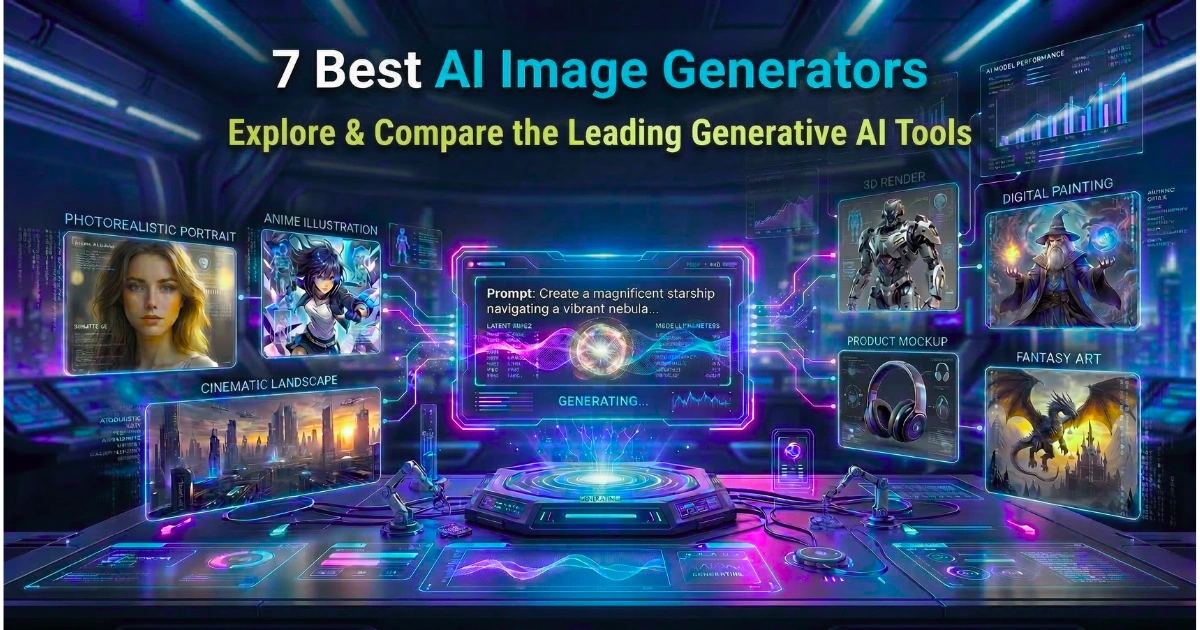
7 Best AI Image Generators in 2026 (Compared)

The landscape of digital creation has fundamentally shifted. Gone are the days when generating high-quality visual content required hours of meticulous work in complex software or a massive budget for stock photography.
Instead, in 2026, AI image generators have matured from experimental novelties into indispensable, production-ready tools. Today, these generative models understand highly nuanced text prompts, generate pixel-perfect typography, and offer granular control over composition, lighting, and style.
Consequently, whether you are a professional graphic designer, a marketer looking to scale ad creatives, or a hobbyist exploring digital art, this category of tools is absolutely vital.
Furthermore, the technology has integrated seamlessly into everyday workflows, drastically reducing turnaround times while expanding creative possibilities. As we look beyond static images to the future of AI in creative branding, it is clear that mastering these platforms is no longer optional for creative professionals.
However, with the market flooded by dozens of platforms, choosing the right text-to-image AI tool can be overwhelming. For instance, some excel at photorealism, others prioritize copyright safety, and a few are built strictly for open-source tinkerers.
How We Evaluate the Best AI Image Generator Tools
To bring you this comprehensive guide, we rigorously tested the market’s leading platforms against a strict set of E-E-A-T (Experience, Expertise, Authoritativeness, Trustworthiness) criteria.
Specifically, we evaluated each tool based on its prompt adherence, generation speed, user interface, editing capabilities, and pricing models.
Moreover, we looked deeply into commercial safety and copyright compliance, which are critical factors for enterprise users in 2026. Ultimately, we tested how well these tools integrate into existing professional pipelines, prioritizing platforms that offer real, tangible value over generic, low-quality outputs.
Comparison Table: Top AI Image Generators at a Glance
| Tool Name | Best For | Free Plan | Pricing (Monthly) |
| Midjourney | High-end artistic flair & photorealism | No | Starts at $10/mo |
| Adobe Firefly | Commercial safety & Photoshop integration | Yes (Limited credits) | Starts at $4.99/mo |
| DALL-E 4 | Prompt adherence & ease of use | No (Requires ChatGPT Plus) | $20/mo (via ChatGPT) |
| Gemini 3 Flash Image | Fast generation & multi-image composition | Yes (Up to 20 uses/day) | Starts at $19.99/mo |
| Stable Diffusion 3 | Open-source control & local hosting | Yes (Open weights) | Varies (API/Cloud hosts) |
| Leonardo.ai | Game assets & workflow pipelines | Yes (Daily tokens) | Starts at $12/mo |
| Ideogram | Typography & graphic design posters | Yes (Basic tier) | Starts at $8/mo |
1. Midjourney
Short Overview
Midjourney remains the reigning champion for sheer aesthetic quality and breathtaking photorealism in 2026. Transitioning from its Discord-only roots to a fully-featured standalone web interface, the platform has made it incredibly easy for users to generate highly detailed art, cinematic photography, and hyper-realistic portraits.
Why We Picked It
We picked Midjourney because its underlying model consistently produces the most visually stunning out-of-the-box results compared to any other tool on the market. As a result, it rarely requires heavy prompt engineering to get a beautiful, artistic output, making it highly rewarding for creatives.
Additionally, its recent web-based tools for panning, zooming, and inpainting have given creators the precise control they were previously lacking.
Therefore, this makes it an absolute powerhouse for concept artists, professional photographers, and marketers who are learning how to use Midjourney v6 for logo design and brand identity creation.
Key Features
- Industry-leading photorealism and artistic style generation.
- Advanced web interface with drag-and-drop style references.
- Powerful character consistency features across multiple generations.
- Granular parameter controls for aspect ratio, stylization, and weirdness.
- High-resolution upscaling up to 4K natively.
Specifications
- Platform: Web, Discord
- Integrations: Limited third-party API availability.
- Deployment: Cloud-based (SaaS).
- Target Users: Concept artists, illustrators, photographers, agencies.
Reason to Buy
If your primary goal is to create the most beautiful, jaw-dropping visuals possible with minimal effort, Midjourney is unmatched. Indeed, it is the gold standard for visual fidelity, making it worth the subscription for any serious creative professional who refuses to compromise on quality.
Pros
- Unparalleled aesthetic quality and cinematic lighting.
- Excellent community and shared prompt exploration.
- Highly effective character reference capabilities.
Cons
- No free tier available.
- Can sometimes apply its own artistic bias to simple prompts.
2. Adobe Firefly
Short Overview
Meanwhile, Adobe Firefly has cemented its place as the safest and most enterprise-friendly AI image generator in 2026. Because it is trained exclusively on Adobe Stock images, openly licensed content, and public domain material, Firefly guarantees commercial safety, making it the go-to choice for global brands and marketing agencies.
Why We Picked It
We chose Adobe Firefly for its seamless integration into the world’s most popular creative software suite. Specifically, being able to generate, expand, and cleanly edit images directly inside Photoshop and Illustrator using text prompts is an unparalleled workflow advantage.
Furthermore, Adobe’s commitment to ethical AI and copyright indemnification for enterprise clients provides peace of mind that no other platform can match. Consequently, it completely removes the legal anxiety of using AI for large-scale commercial campaigns.
Key Features
- Commercially safe training data with legal indemnification.
- Generative Fill and Expand directly inside Adobe Creative Cloud apps.
- Structure reference to match the exact composition of an uploaded image.
- Vector generation capabilities for scalable graphic design.
- Automatic application of Content Credentials for transparency.
Specifications
- Platform: Web, macOS, Windows (via Creative Cloud).
- Integrations: Photoshop, Illustrator, Adobe Express, InDesign.
- Deployment: Cloud-based (SaaS).
- Target Users: Enterprise teams, professional graphic designers, marketers.
Reason to Buy
You should choose Adobe Firefly if you need absolute legal safety for commercial projects or if your daily workflow already revolves around Adobe Creative Cloud. Without a doubt, its Generative Fill feature is simply a must-have for photo editing and rapid asset manipulation.
Pros
- 100% commercially safe to use.
- Deep integration into Photoshop and Illustrator.
- Excellent interface with slider-based style adjustments.
Cons
- Photorealism can sometimes lag slightly behind Midjourney.
- Standalone web app requires an Adobe subscription for premium features.
3. DALL-E 4
Short Overview
On the other hand, DALL-E 4, developed by OpenAI, is the most accessible and conversational AI image generator available. Deeply integrated into ChatGPT Plus, it allows users to generate images simply by having a natural language conversation with the AI, bypassing the need to learn complex prompting syntax.
Why We Picked It
We selected DALL-E 4 because it boasts the best prompt adherence in the industry. In fact, if you ask for specific items in specific locations with precise colors, DALL-E 4 will follow those instructions to the letter, unlike tools that prioritize aesthetics over accuracy.
Moreover, its conversational interface means you can easily ask the AI to “make it brighter,” “change the dog to a cat,” or “widen the shot.” Thus, this dramatically lowers the barrier to entry, making it perfect for beginners, educators, and busy professionals who need quick mockups.
Key Features
- Flawless adherence to complex, multi-subject prompts.
- Conversational editing through ChatGPT.
- Consistent text-in-image generation for signs, labels, and speech bubbles.
- Automatic prompt enhancement to improve user inputs behind the scenes.
- Seamless generation of variations with simple text tweaks.
Specifications
- Platform: Web, iOS, Android (via ChatGPT app).
- Integrations: Microsoft Designer, Copilot, ChatGPT API.
- Deployment: Cloud-based (SaaS).
- Target Users: Content creators, educators, casual users, marketers.
Reason to Buy
Ultimately, if you struggle with complex prompt engineering or need an image that accurately reflects a highly specific scene with multiple interacting elements, DALL-E 4 is your best option. It listens better than any other model and adapts to conversational feedback instantly.
Pros
- Incredibly easy to use via natural language.
- Best-in-class prompt adherence.
- Included automatically with a ChatGPT Plus subscription.
Cons
- Images can sometimes have a distinct, slightly “plastic” AI look.
- Fewer granular controls compared to dedicated image platforms.
4. Gemini 3 Flash Image
Short Overview
Similarly, powered by Google’s cutting-edge Nano Banana 2 architecture, the Gemini 3 Flash Image generator is a state-of-the-art tool embedded directly into the Gemini ecosystem. Notably, it excels not just in standard text-to-image creation, but in highly complex multi-image composition, image editing, and rapid style transfer.
Why We Picked It
We picked Gemini 3 Flash Image for its blazing speed and its unique multi-modal capabilities. For example, the ability to upload multiple images and have the AI seamlessly composite them together while applying a completely new style is a massive leap forward for rapid prototyping and mood boarding.
Additionally, its integration into the Google ecosystem means you can instantly pull generations into Docs and Slides. Consequently, it offers a generous daily quota for basic users (20 uses/day), scaling up to 1000 uses for Ultra subscribers, making it highly scalable for enterprise demands.
Key Features
- Powered by the advanced Nano Banana 2 model for high-fidelity outputs.
- Multi-image-to-image composition and advanced style transfer.
- Exclusive “Redo with Pro” feature for premium users to enhance details.
- Seamless editing (image+text-to-image) via natural language prompts.
- Native integration with Google Docs, Slides, and Drive.
Specifications
- Platform: Web, Android, iOS (via Gemini app).
- Integrations: Google Workspace (Docs, Slides), Gemini Advanced.
- Deployment: Cloud-based (SaaS).
- Target Users: Google ecosystem users, marketers, rapid prototypers.
Reason to Buy
Choose Gemini 3 Flash Image if you want an incredibly fast generator that acts as an all-in-one compositional tool. Therefore, its ability to take existing reference images and merge them accurately makes it incredibly powerful for product mockups and presentation designs.
Pros
- Lightning-fast generation speeds.
- Generous free quota for basic tier users.
- Excellent multi-image composition capabilities.
Cons
- Deepest editing features require upgrading to higher Google One AI tiers.
- Interface is more chat-focused rather than a dedicated design canvas.
5. Stable Diffusion 3
Short Overview
Conversely, Stable Diffusion 3 is the leading open-weights AI image generator, offering unparalleled freedom and customization. Unlike closed corporate ecosystems, this model can be downloaded and run locally on your own hardware, allowing for censorship-free generation, infinite fine-tuning, and complex node-based workflows.
Why We Picked It
We included Stable Diffusion 3 because it remains the absolute best choice for power users, developers, and studios who need total control over their pipelines. Furthermore, with tools like ControlNet and ComfyUI, users can dictate human poses, lighting depth, and architectural lines with exact mathematical precision.
In comparison, when looking at specialized vs. generalist AI models, Stable Diffusion proves that an open foundation model, when customized with community-trained LoRAs (Low-Rank Adaptations), can beat almost any generalist tool in highly specific niches like anime, architecture, or 3D rendering.
Key Features
- Open-weights architecture for local installation and execution.
- Massive ecosystem of community-trained models and LoRAs.
- Unmatched precision with ControlNet (pose, depth, edge detection).
- Advanced node-based workflow interfaces like ComfyUI.
- Completely free to use if you have the local hardware to run it.
Specifications
- Platform: Local Windows/Linux/macOS, Web (via third-party hosts).
- Integrations: ComfyUI, Automatic1111, Blender, Krita plugins.
- Deployment: Local machine, API, Cloud instances.
- Target Users: AI researchers, developers, power users, 3D artists.
Reason to Buy
If you have a powerful GPU, value data privacy, and demand pixel-perfect control over every aspect of the generation process, Stable Diffusion 3 is the only logical choice. As a result, it is the ultimate tool for deep customization and workflow automation.
Pros
- Free to generate locally with no subscription costs.
- Ultimate control over poses, composition, and style.
- No strict corporate content filters when run locally.
Cons
- Steep learning curve to master nodes and installations.
- Requires an expensive, powerful graphics card (GPU) for fast local generation.
6. Leonardo.ai
Short Overview
Next, Leonardo.ai has carved out a massive niche by focusing heavily on production-ready assets for game developers, graphic designers, and animators. It offers an incredibly robust suite of tools that goes far beyond simple prompting, including real-time canvas drawing, motion generation, and custom model training.
Why We Picked It
We picked Leonardo.ai because of its exceptional “Realtime Canvas” feature, which allows you to sketch rough shapes while the AI instantly renders a high-quality image in real-time. Consequently, this interactive workflow bridges the gap between traditional drawing and AI generation, giving artists immediate feedback.
Moreover, its ability to easily train custom models on your own datasets directly in the browser makes it an invaluable asset for indie game studios. Therefore, studios needing consistent asset styles (like isometric buildings or specific character sprites) can achieve this without setting up local servers.
Key Features
- Realtime Canvas for instant sketch-to-image rendering.
- Easy in-browser custom model training for consistent styles.
- Integrated motion and video generation tools.
- Pre-built premium models optimized for game assets and 3D textures.
- Universal Upscaler for enhancing low-resolution concepts.
Specifications
- Platform: Web, iOS.
- Integrations: API available for developers.
- Deployment: Cloud-based (SaaS).
- Target Users: Game developers, UI/UX designers, digital artists.
Reason to Buy
Choose Leonardo.ai if you are building a creative project that requires asset consistency over time, like a video game, comic book, or branded web design. Indeed, its suite of specialized tools is tailored perfectly for professional production pipelines rather than just casual generation.
Pros
- Incredible real-time drawing and rendering features.
- Very generous daily free token allowance.
- Excellent interface with granular production tools.
Cons
- Can be overwhelming for users who just want a simple text box.
- Pricing scales up quickly for heavy commercial API use.
7. Ideogram
Short Overview
Finally, Ideogram disrupted the AI art space by solving one of generative AI’s biggest historical weaknesses: spelling. In 2026, Ideogram remains the undisputed king of text generation, seamlessly rendering flawless typography onto t-shirts, posters, 3D logos, and digital signs.
Why We Picked It
We selected Ideogram purely for its mastery of text and typography. In fact, while other models still occasionally struggle with long sentences, weird letter spacing, or specific fonts, Ideogram flawlessly integrates legible, stylized text into its images, maintaining correct spelling every single time.
As a result, this makes it the ultimate tool for print-on-demand businesses, meme creators, and social media marketers. Additionally, the platform’s interface is highly social, allowing you to easily discover and remix community prompts for rapid inspiration.
Key Features
- Flawless text generation and spelling within images.
- “Magic Prompt” feature that rewrites basic inputs into highly descriptive prompts.
- Exceptional at creating graphic design layouts, logos, and posters.
- Vibrant, socially-driven feed for discovering prompt styles.
- Precise color palette controls.
Specifications
- Platform: Web.
- Integrations: Limited external API.
- Deployment: Cloud-based (SaaS).
- Target Users: Print-on-demand sellers, social media managers, logo designers.
Reason to Buy
If your primary use case involves words—whether that’s designing a customized greeting card, a branded typographic logo, or a witty t-shirt graphic—Ideogram is the only tool that will give you perfect, beautiful text. Therefore, it completely removes the need for manual Photoshop corrections.
Pros
- The absolute best AI for rendering typography and text.
- Magic Prompt removes the need to be an expert prompter.
- Great free tier for casual generation.
Cons
- Less suited for hyper-realistic photography than Midjourney.
- Fewer advanced editing tools like outpainting or node control.
Feature Summary: Yes/No Comparison
| Tool Name | Commercial Safe | API Available | Inpainting/Editing | Free Tier Available |
| Midjourney | Yes (With Sub) | No (Unofficial only) | Yes | No |
| Adobe Firefly | Yes (Indemnified) | Yes | Yes | Yes |
| DALL-E 4 | Yes | Yes | Yes | No (With Sub) |
| Gemini 3 Flash Image | Yes | Yes | Yes | Yes |
| Stable Diffusion 3 | Yes | Yes | Yes | Yes |
| Leonardo.ai | Yes | Yes | Yes | Yes |
| Ideogram | Yes | No | Yes | Yes |
How to Choose the Best AI Image Generator Tool
Choosing the right tool in 2026 comes down to matching your specific creative workflow with the strengths of the AI. As the industry evolves, it is clear that AI won’t replace your team — but it will replace your workflow. Consequently, finding the tool that smoothly integrates into your daily tasks is key. Here is a step-by-step guide to making the right choice:
- Define Your Primary Use Case: Are you looking to generate photographic assets for a corporate blog, or are you creating imaginative concept art for a fantasy novel? If you need photorealism and artistic flair, Midjourney is ideal. However, if you need precise asset generation for a game, Leonardo.ai is better suited.
- Evaluate Your Need for Text: Next, consider typography. If you are designing posters, book covers, or logos that require legible typography, you will save hours of frustration by choosing Ideogram or DALL-E 4, which excel at rendering accurate text.
- Consider Copyright and Commercial Safety: Furthermore, if you are part of an enterprise team or an agency designing campaigns for major brands, legal safety is paramount. Adobe Firefly should be your top pick due to its clean training data and enterprise indemnification.
- Assess Your Technical Comfort Level: Do you want a simple conversational interface, or do you want to tweak every parameter? DALL-E 4 via ChatGPT is perfect for beginners. Conversely, if you want to build intricate, customized workflows and have a strong GPU, Stable Diffusion 3 provides unlimited power.
- Look at the Ecosystem: Finally, consider where you already work. If you are a heavy Google Workspace user, Gemini 3 Flash Image integrates beautifully. On the other hand, if you live in Photoshop, Adobe Firefly is natively built into your existing tools.
Benefits of Using AI Image Generator Tools
The rapid adoption of AI image generators is driven by tangible, high-impact benefits for both individuals and modern businesses:
- Overcoming Creative Blocks: Staring at a blank canvas is a thing of the past. Instead, AI generators act as the ultimate brainstorming partners, effectively ending “blank page syndrome” and rewriting business productivity. You can generate twenty concepts in a minute to find the perfect starting point.
- Massive Cost Reduction: Hiring freelance illustrators or purchasing high-end stock photography subscriptions can cost thousands of dollars a year. Therefore, AI tools allow you to generate unlimited, highly customized visuals for a fraction of that cost, leveling the playing field for small businesses.
- Unprecedented Speed: What used to take days of concept sketching, 3D rendering, and post-production can now be accomplished in seconds. As a result, this allows marketers to launch campaigns faster and creators to iterate on ideas instantly based on client feedback.
- Infinite Customization: Unlike stock photos where you must settle for “close enough,” AI allows you to specify the exact lighting, camera angle, color palette, and subjects. Consequently, you get exactly what you want, tailored perfectly to your strict brand guidelines.
- Democratization of Art: You no longer need to spend years mastering traditional drawing techniques, lighting theory, or complex 3D software to bring your imagination to life. Ultimately, AI tools empower anyone with a creative vision to produce professional-grade visuals.
FAQ Section
What are the best AI image generator tools in 2026?
The top tools currently dominating the market are Midjourney for high-end artistry, Adobe Firefly for safe commercial workflows, and DALL-E 4 for conversational ease of use. Additionally, other strong contenders include Gemini 3 Flash Image for speed, and Ideogram for perfect typography.
Are free AI image generator tools reliable?
Yes, many free tools or free tiers are highly reliable for basic tasks. For example, platforms like Leonardo.ai, Gemini, and Ideogram offer excellent free daily credits. However, you may face watermarks, slower generation times, or limited access to the most advanced models without a premium subscription.
How do AI image generator tools improve productivity?
They dramatically reduce the time spent searching for stock photos or creating initial concept sketches. By allowing creators to rapidly prototype visual ideas in seconds, teams can iterate faster, communicate visual ideas clearer, and move from the conceptual phase to final production almost instantly.
What features should you look for in an AI image generator tool?
Key features to look for include prompt adherence, generation speed, and built-in editing tools like inpainting (modifying specific parts of an image) and outpainting (expanding the canvas). Furthermore, you should check for copyright safety, high-resolution upscaling, and whether the tool can accurately generate text within images.
Are AI-powered image generator tools better than traditional ones?
They are not necessarily “better” but serve a different, highly complementary purpose. While AI excels at rapid ideation, style blending, and complex generation from scratch, traditional tools like Photoshop (which now embed AI natively) remain essential for precise, manual fine-tuning, color correction, and pixel-level control.
Conclusion
As we navigate through 2026, AI image generators have officially transitioned from novelty toys to essential pillars of the modern creative workflow. Furthermore, the technology has segmented beautifully, offering specialized tools for every type of creator.
If you are pursuing pure artistic excellence and cinematic realism, Midjourney remains the undisputed king of aesthetics. However, for professionals requiring absolute commercial safety and seamless integration into existing design pipelines, Adobe Firefly is the smartest investment.
Meanwhile, tools like Ideogram and Gemini 3 Flash Image continue to push the boundaries of what is possible with flawless typography and multi-image composition.
Our expert recommendation is to start with a versatile, accessible tool like DALL-E 4 or utilize the free tiers of Ideogram and Gemini to understand how prompting works.
Once you identify your specific needs—be it local control, commercial safety, or hyper-realism—you can confidently invest in the platform that best aligns with your creative vision. The future of digital creation is here, and the blank canvas has never looked more inviting.