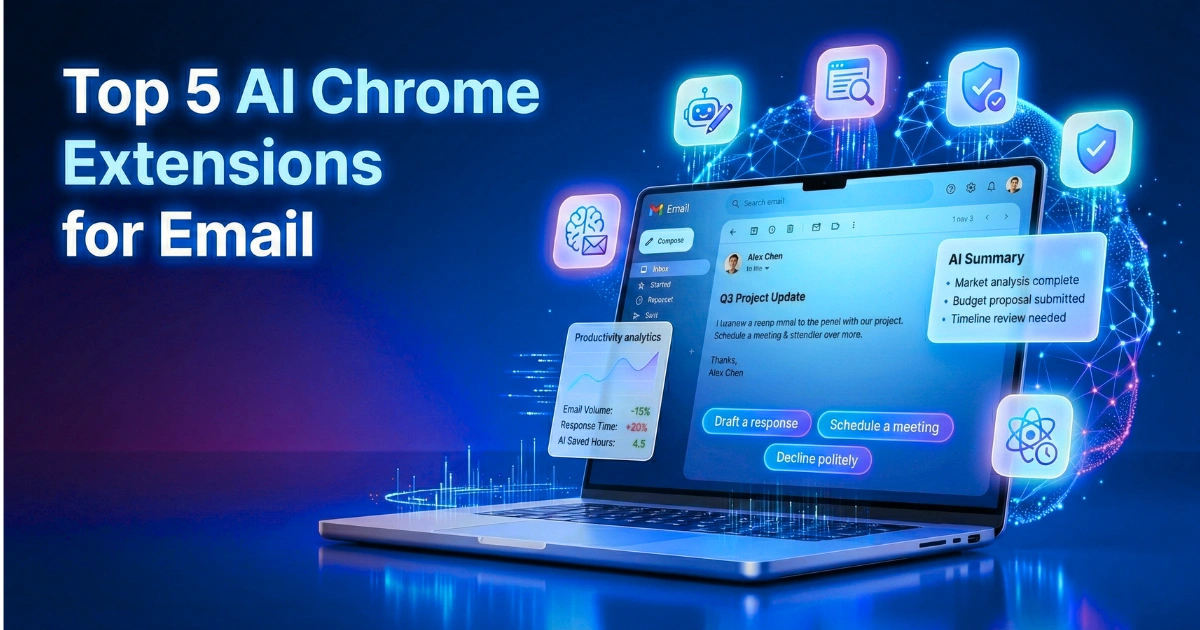
Top 5 AI Chrome Extensions for Email

The State of Digital Communication in 2026

The modern professional ecosystem in 2026 is characterized by an unprecedented volume of digital communication. Consequently, the average corporate worker spends approximately 4.1 hours every day managing their inbox.

In a standard forty-hour work week, this represents more than half of all productive time lost to reading, sorting, drafting, and deleting messages. Furthermore, by 2026, the volume of digital correspondence has not merely increased; it has compounded in complexity.

Therefore, the inbox has transformed from a passive repository of messages into an active, highly demanding operational workspace. To combat this cognitive overload, artificial intelligence has evolved dramatically. Specifically, it has shifted from simple, passive grammar checkers to active, agentic workflows capable of executing complex administrative tasks autonomously.

The Shift to Proactive Digital Assistants

Additionally, the integration of Large Language Models (LLMs) directly into the browser environment has turned platforms like Google Chrome into proactive digital assistants.

As a result, extensions now execute sophisticated tasks without requiring users to break their concentration, switch tabs, or migrate to entirely new software ecosystems.

For instance, the most advanced systems can summarize fifty unread threads into actionable bullet points, autonomously extract calendar tasks, and generate highly personalized drafts that match the user’s historical tone and vocabulary.

Moreover, current market research indicates that 87% of businesses now incorporate artificial intelligence into their email operations. However, the gap between basic adoption and high-performance execution remains significant, with only 6% of organizations qualifying as high performers.

Market Growth and Technological Infrastructure

Undeniably, the economic implications of this technological shift are substantial. In fact, the market for AI email assistants, valued at $896.13 million in 2025, is projected to reach $1.12 billion by the end of 2026, driven by an accelerating compound annual growth rate.

Chiefly, this growth is fueled by the transition toward semantic search architectures, Retrieval-Augmented Generation (RAG) frameworks, and predictive content generation.

Accordingly, this comprehensive research report analyzes the technological landscape of the most effective browser-based communication agents available.

While the title highlights the top five core extensions, the market demands a nuanced understanding of various specialized solutions. Consequently, this analysis expands to rigorously evaluate ten leading platforms, examining their underlying mechanisms, security architectures, and long-term impact on workflow efficiency.

How We Evaluate the Best AI Chrome Extensions for Email Tools

Prioritizing Contextual Awareness

The evaluation of browser-based communication agents requires a rigorous, multi-dimensional matrix that moves far beyond simple feature checklists. First, the primary analytical vector prioritizes contextual awareness, measuring how effectively a tool leverages Natural Language Processing (NLP) to interpret intent, nuance, and historical thread data.

Naturally, solutions that utilize advanced memory systems to pull context from past emails, integrated CRM platforms, and proprietary knowledge bases score significantly higher than those relying on generic, zero-shot LLM prompts.

Auditing Security and Data Governance

Secondly, security and data governance form the second critical pillar of the evaluation framework. In an era where enterprise data is highly sensitive and subject to stringent regulatory oversight, tools must demonstrate rigorous compliance, including SOC 2 Type II, GDPR, and HIPAA certifications.

Specifically, the analysis favors platforms that guarantee zero-day data retention, implement robust Personally Identifiable Information (PII) obfuscation, and explicitly prohibit the use of customer data for training public artificial intelligence models.

Measuring Workflow Friction

Finally, the assessment measures workflow friction and deployment architecture. Tools are evaluated on their ability to integrate seamlessly into existing interfaces, such as Gmail and Outlook web clients, without requiring drastic behavioral changes.

Ultimately, the reduction of cognitive load, measured by features such as autonomous triage, keyboard-first navigation, and real-time sentence autocompletion, serves as the ultimate benchmark for productivity enhancement and operational efficiency.

Tool Comparison Overview

The following table provides a high-level structural comparison of the ten platforms evaluated in this report, outlining their primary use cases, financial accessibility, and deployment models to assist in rapid decision-making.

Tool NameBest ForFree PlanPricing (Starting)
GmeliusCustomizable Team WorkflowsNo$15.00 / month
SuperhumanSpeed-Focused Inbox TriageNo$30.00 / month
ShortwaveAI-Powered Email SearchYes$18.00 / month
MailMaestroExecutive CommunicationYes$12.00 / month
alfred_End-to-End Autonomous TriageNo$24.99 / month

Detailed Tool Analysis

1. Gmelius

Gmelius transforms the standard Gmail interface into an automated, collaborative workspace powered by its proprietary Meli artificial intelligence assistant.

Operating as an official Google Cloud Partner, the platform leverages advanced Gemini models to analyze thousands of past emails. Consequently, it continuously learns specific brand tones to generate contextually accurate responses without ever utilizing client data to train public models.

Why We Picked It

The analysis selected this tool because it successfully bridges the critical gap between individual email productivity and team-wide operational transparency within shared environments.

Furthermore, it prevents siloed intelligence by allowing support and sales teams to collaborate directly inside a shared inbox, utilizing real-time mentions and shared algorithmic drafts.

Key Features
  • Algorithmic drafting that continuously learns and mimics the user’s historical writing tone.
  • Intelligent dispatching that automatically routes incoming messages to the correct operational team member.
  • Shared labels, shared drafts, and internal chat threads functioning via real-time @mentions.
  • Automated follow-up management (Meli^✦^) designed to track unresponsive threads and maintain momentum.
  • Autonomous scheduling capabilities that scan calendars to find optimal meeting times and book slots directly.
Specifications
  • Platform: Web browser, Google Chrome Extension, Mobile Applications (iOS/Android).
  • Integrations: Google Workspace natively, Trello, Slack, Salesforce, HubSpot.
  • Deployment: Native embedded layer directly within the Gmail interface.
  • Target Users: Collaborative teams, support leads, operations managers, and external client-facing roles.
Reason to Buy

Organizations should deploy this solution if they consistently struggle with visibility across shared corporate addresses like support@ or sales@. Essentially, it effectively eliminates the need for external, complex helpdesk software by layering powerful agentic workflows and collaboration tools directly onto the highly familiar Gmail interface, reducing onboarding friction.

Pros
  • Maintains strict enterprise-grade data privacy by guaranteeing that public models are not trained on user data.
  • Eliminates the necessity to forward emails or continuously switch tabs to collaborate with colleagues.
  • Features a highly customizable intelligence engine that can be trained on proprietary internal knowledge databases.
Cons
  • Currently, lacks a native integration for users operating strictly within Microsoft Outlook environments.
  • Additionally, requires comprehensive team-wide adoption and buy-in to unlock its full collaborative and operational potential.

2. Superhuman

Superhuman operates as a premium, AI-native email client engineered specifically for unparalleled speed and high-volume processing. It fundamentally reconstructs the inbox experience around a keyboard-first methodology.

Therefore, it combines split-inbox categorization with an advanced “Ask AI” natural language search that queries calendars, past messages, and the web to surface immediate, highly accurate answers.

Why We Picked It

The analysis selected this tool because it consistently demonstrates the highest quantifiable time-savings metrics in the industry, allowing users to reclaim up to four hours per week. Moreover, its unique ability to generate predictive instant replies in the background before a user even opens a message fundamentally accelerates the pace of professional communication.

Key Features
  • Voice-matched algorithmic drafting that retrieves context from the inbox and user-uploaded knowledge repositories.
  • “Ask AI” natural language search designed for complex queries spanning multiple data sources.
  • Instant auto-summarization that provides a constantly updating one-line overview of long threads.
  • Split Inbox functionality powered by custom, highly adaptive machine learning auto-labels.
  • One-tap intelligent scheduling that seamlessly handles attendee coordination and location settings.
Specifications
  • Platform: Chromium-based browsers, macOS, iOS, Android, Windows.
  • Integrations: Gmail, Microsoft Outlook, HubSpot, Salesforce, Pipedrive.
  • Deployment: Standalone third-party interface securely linked to existing email providers.
  • Target Users: Corporate founders, executives, and high-volume email processors committed to achieving “inbox zero”.
Reason to Buy

Professionals who view their inbox as their primary operational workspace and receive hundreds of emails daily will find unparalleled value here. Ultimately, the precise combination of rigorous keyboard shortcuts and predictive, background-generated drafts drastically reduces the mechanical friction associated with managing immense volumes of digital correspondence.

Pros
  • Features an extremely fast, highly polished interface optimized strictly for keyboard navigation.
  • Enforces strict zero-day data retention policies, ensuring absolute enterprise security and compliance.
  • Executes instant draft generation in the background before incoming emails are actively opened by the user.
Cons
  • The premium pricing model, starting at $30 per month, represents a significant ongoing financial investment.
  • Also, it requires a notoriously steep learning curve to master the mandatory keyboard shortcuts for maximum efficiency.

3. Shortwave

Shortwave functions as an AI-native email client designed specifically for the Google Workspace ecosystem, built around a minimalist, task-oriented user interface. The platform excels at deep historical data retrieval, utilizing a powerful semantic search engine.

Consequently, it allows users to query their entire email history while generating intelligent thread summaries and personalized drafts through its Ghostwriter feature.

Why We Picked It

The analysis selected this tool because it offers one of the most sophisticated, natively integrated semantic search architectures currently available for standard Gmail accounts. Additionally, its highly intelligent “Snippets” view condenses overwhelming, multi-participant threads into digestible summaries without ever requiring the user to open the actual conversation.

Key Features
  • Natural language semantic search capable of parsing highly complex requests across years of historical data.
  • Innovative “Snippets” view optimized for instant, unopened thread summarization and review.
  • The Ghostwriter feature, which continuously learns, adapts, and mimics the user’s specific linguistic voice.
  • Tasklet automations that intuitively treat incoming messages as an actionable to-do list.
  • Automated algorithmic categorization and intelligent bundling of similar email types.
Specifications
  • Platform: Web browser, macOS, Windows, iOS, Android.
  • Integrations: Exclusively optimized for Google Workspace and standard Gmail accounts.
  • Deployment: Third-party application interface connected securely via API to Gmail.
  • Target Users: Google Workspace professionals seeking an intuitive, task-oriented approach to inbox management.
Reason to Buy

Users suffering from chronic inbox clutter who require an intelligent, automated triage system will benefit immensely from Shortwave’s automatic bundling and powerful semantic search capabilities. In particular, it is highly effective for legal, academic, and research professionals who need to reference historical communications rapidly and accurately.

Pros
  • Offers a clean, intentionally minimalist interface that significantly reduces visual and cognitive overload.
  • Provides a highly capable and robust free tier, making it exceptionally accessible for budget-conscious users.
  • Executes an excellent paradigm shift by successfully treating incoming emails as manageable, trackable tasks.
Cons
  • Presently, it lacks official support for professionals operating within Microsoft Outlook environments.
  • Furthermore, certain advanced autonomous features are still confined to the developmental rollout phase.

4. MailMaestro

MailMaestro, formerly recognized as Flowrite, operates as an enterprise-grade productivity assistant engineered explicitly to secure workflows and elevate executive communication. It distinguishes itself by offering highly granular control over email tone, length, and language.

Why We Picked It

Moreover, it provides robust compliance features, including PII obfuscation and live meeting transcription capabilities via its integrated TeamsMaestro bots.

The analysis selected this tool because it directly addresses the critical security and governance concerns that frequently prevent large enterprises from adopting generative solutions. Specifically, it guarantees mathematically that sensitive corporate data is never exposed to public LLMs, making it the premier choice for compliance-heavy sectors.

Key Features
  • Instant generation of three highly distinct draft variations derived from a single short instructional prompt.
  • Granular, slider-based control over communication tone, output length, and specific language parameters.
  • Automated algorithmic summarization of lengthy threads and complex, text-heavy email attachments.
  • TeamsMaestro integration engineered for live Microsoft Teams meeting transcription and automated task assignment.
  • A comprehensive enterprise security suite featuring PII obfuscation and verifiable zero-day data retention.
Specifications
  • Platform: Web interface, Google Chrome Extension.
  • Integrations: Microsoft 365, Outlook natively, Gmail, Microsoft Teams, Slack.
  • Deployment: Seamless sidebar integration operating within the native email client.
  • Target Users: Corporate executives, enterprise teams, and highly specialized multilingual professionals.
Reason to Buy

Enterprises bound by strict regulatory compliance frameworks, such as HIPAA, GDPR, or financial regulations, require a tool that enhances daily productivity without compromising data security. Accordingly, MailMaestro provides this mathematically secure environment while consistently delivering highly polished, professional communications in over twenty distinct languages.

Pros
  • Possesses unmatched enterprise security certifications, including SOC 2 Type II, HIPAA, and Tier 2 CASA verification.
  • Translates complex concepts and drafts fluently in over twenty different languages with native-level proficiency.
  • Seamlessly transitions unstructured meeting transcripts into clearly assigned, trackable action items.
Cons
  • Unfortunately, lacks a robust shared team memory function, which may theoretically hinder cross-departmental collaboration.
  • Overall, primarily focused on sophisticated drafting and summarizing rather than end-to-end inbox automation and triage.

5. Alfred_

alfred_ is an autonomous, agentic email platform designed to handle extreme message volume through comprehensive end-to-end automation. Unlike conventional tools that merely assist the user in writing faster, alfred_ operates overnight to automatically triage incoming mail.

Additionally, it extracts embedded tasks, identifies complex calendar conflicts, and prepares fully contextualized drafts for morning review in a consolidated daily briefing.

Why We Picked It

The analysis selected this tool because it fundamentally shifts the human-software interaction paradigm from manual, repetitive processing to high-level executive review. Ultimately, it is the only platform evaluated that successfully manages the entire lifecycle of an email, allowing users to practically stop living inside their inbox entirely.

Key Features
  • Overnight autonomous triage engine that meticulously categorizes emails by specific urgency levels.
  • Automatic, highly accurate extraction of tasks and follow-up requirements embedded deep within email bodies.
  • Proactive calendar management that scans schedules to identify and flag impending scheduling conflicts.
  • Generation of a comprehensive, easily digestible “Daily Briefing” summarizing all critical inbox activity.
  • SMS connectivity functionality allowing users to text commands directly to their digital assistant.
Specifications
  • Platform: Web-based centralized dashboard and Google Chrome integration.
  • Integrations: Deeply integrated with Google Workspace and Microsoft Outlook.
  • Deployment: Continuous background automation engine operating server-side.
  • Target Users: Freelancers, agency owners, and senior executives processing over 200 emails daily.
Reason to Buy

Professionals who are consistently losing excessive billable hours to administrative overhead and inbox management will find this system highly transformative.

Therefore, it effectively replaces the need for a human virtual assistant by autonomously automating the most tedious, time-consuming aspects of communication management and complex scheduling.

Pros
  • Dramatically reduces total inbox time by handling complex triage autonomously overnight while the user sleeps.
  • Brilliantly consolidates email processing, task tracking, and calendar management into one automated, frictionless flow.
  • Actively prevents critical follow-ups, client requests, and invoices from falling through the operational cracks.
Cons
  • Undoubtedly, requires a significantly high level of user trust to grant the software extensive calendar and full inbox permissions.
  • Also, the subscription pricing at $24.99 per month is notably higher than basic generative drafting plugins.

Feature Comparison Matrix

The following table provides a binary overview of the critical functionalities required by modern digital professionals. This specific matrix helps quickly identify which platforms align precisely with distinct operational needs, deployment requirements, and stringent security mandates.

Tool NameNative Chrome ExtensionEnterprise Security (SOC 2)Generative AI DraftingAutonomous TriageFree Tier Available
GmeliusYesYesYesNoNo
SuperhumanNoYesYesYesNo
ShortwaveYesNoYesYesYes
MailMaestroYesYesYesNoYes
alfred_YesNoYesYesNo

How to Choose the Best AI Chrome Extensions for Email Tool

Assessing Your Daily Friction

Selecting the appropriate productivity suite requires a highly structured audit of organizational workflows, existing software ecosystems, and specific individual pain points. First, the primary consideration must be evaluating the precise source of daily friction.

For example, if an individual is losing hours strictly to reading and categorizing hundreds of incoming messages, an autonomous triage system like alfred_ or a passive algorithmic filter like SaneBox will unequivocally yield the highest return on investment.

Conversely, if the primary bottleneck is the mechanical act of writing responses or overcoming writer’s block, inline drafting tools like Compose AI or QuillBot are vastly more appropriate.

Data Security Requirements

Data security and regulatory governance represent the second critical decision vector. With the introduction of the EU AI Act and tightening global privacy regulations, enterprises can no longer rely on standard, consumer-grade generative tools.

Therefore, corporate executives dealing with highly sensitive financial, legal, or health data must mandate solutions that offer zero-day data retention, PII obfuscation, and explicit contractual guarantees that proprietary data will not be ingested into public Large Language Models.

In these rigorous compliance scenarios, platforms like MailMaestro, Gmelius, and Superhuman are absolute non-negotiable requirements.

Platform Compatibility

Finally, decision-makers must rigorously evaluate platform compatibility and the desired level of behavioral change. Tools like Superhuman require users to completely abandon familiar interfaces and learn extensive keyboard shortcuts, which can cause significant short-term disruption despite the massive long-term efficiency gains.

In contrast, native Chrome extensions integrate invisibly into existing Gmail or Outlook web clients, offering significantly lower friction and driving much higher immediate adoption rates among general staff.

Benefits of Using AI Chrome Extensions for Email Tools

Reclaiming Lost Productivity

The integration of advanced algorithms into daily workflows delivers measurable, compounding returns on both operational time and organizational revenue. Immediately, the most quantifiable benefit is the drastic reduction in cognitive load and mechanical effort.

By automating triage, summarizing incredibly lengthy threads, and generating predictive, context-aware responses, users can reclaim an average of four hours every single week—equivalent to an entire month of recovered productivity annually. Consequently, this massive reclamation allows professionals to shift their focus away from reactive administrative tasks toward deep, strategic, high-value work.

Maximizing Outreach Efficacy

Beyond mere time savings, artificial intelligence dramatically enhances the absolute efficacy and impact of digital communication. In outbound marketing and sales environments, the ability to execute hyper-personalized communication at massive scale is entirely revolutionary.

In fact, statistical evidence currently indicates that AI-driven email personalization can yield a 41% increase in direct revenue, while highly segmented automated campaigns generate 760% more revenue than traditional, non-segmented generic broadcasts.

Tools that facilitate dynamic mail merges and contextual tone adjustments ensure that incredibly high volume does not compromise message relevance or conversion rates. Furthermore, algorithmically generated subject lines consistently demonstrate an 11% improvement in click-through rates over purely human-written alternatives.

Protecting Sender Reputation

Furthermore, advanced infrastructure safeguards critical sender reputation and ensures primary inbox placement. In 2026, algorithmic spam filters evaluate technical trust, engagement depth, and sender history with extreme prejudice to combat malicious actors.

Therefore, integrated solutions mitigate this immense risk by utilizing automated domain warm-up protocols, carefully pacing send volumes to avoid sudden spike detection, and identifying inactive contacts that could trigger disastrous bounce rates.

Ultimately, this comprehensive, invisible backend infrastructure mathematically guarantees that meticulously crafted communications successfully reach the intended audience.

FAQ Section

What are the best AI Chrome Extensions for Email tools in 2026?

The leading tools depend heavily on the highly specific workflow requirements of the end-user. Generally, Superhuman and Shortwave dominate the market for high-speed inbox processing, while Gmelius excels at team collaboration and shared routing. For specialized tasks, Mailmeteor is unparalleled for scalable outbound outreach, and alfred_ provides the most robust end-to-end autonomous triage.

Are free AI Chrome Extensions for Email tools reliable?

Yes, free tiers from established, reputable providers offer significant utility for casual users, freelancers, and students. For instance, tools like Compose AI and QuillBot provide highly reliable, highly functional free versions that handle basic sentence autocompletion and paraphrasing effectively. However, enterprise-grade security, PII obfuscation, and advanced autonomous triage features generally require a paid corporate subscription.

How do AI Chrome Extensions for Email tools improve productivity?

These tools completely eliminate the mechanical friction of managing digital correspondence by autonomously automating repetitive actions. Specifically, they utilize machine learning to instantly summarize long threads, categorize incoming mail by algorithmic priority, and generate highly contextualized draft responses before a user even begins typing. Ultimately, this deep automation allows professionals to reclaim hours previously lost to manual administrative tasks.

What features should you look for in an AI Chrome Extensions for Email tool?

Prospective organizational users should prioritize tools that offer Natural Language Processing for context-aware drafting and advanced algorithmic triage to manage high message volumes. Furthermore, robust data governance—specifically zero-day data retention policies—and seamless integration with existing CRM systems or corporate workspaces are critical indicators of a high-quality, secure platform.

Are AI-powered AI Chrome Extensions for Email tools better than traditional ones?

Yes, modern tools utilize advanced agentic workflows and Large Language Models to accurately interpret complex intent, whereas traditional tools rely on rigid, highly limited rule-based filtering. Consequently, an algorithmic assistant can adapt to changing situations, mimic specific brand tones flawlessly, and process complex natural language queries, making them vastly superior to legacy spell-checkers and static filters.

Will AI-generated emails get flagged as spam?

If deployed incorrectly without human oversight, highly repetitive or overly generic algorithmic content can easily trigger modern spam filters. However, premium tools actively mitigate this risk by utilizing advanced, dynamic personalization, automated domain warm-up networks, and engagement tracking to maintain a strong, highly credible sender reputation.

Is enterprise data safe with AI email assistants?

Data security varies significantly between consumer-grade and enterprise-grade platforms. Fortunately, top-tier business solutions like MailMaestro and Superhuman strictly adhere to SOC 2 Type II compliance, implement PII obfuscation, and explicitly guarantee that client data is never utilized to train public machine learning models.

Conclusion

The transformation of the email inbox from a static chronological list into an intelligent, agent-driven workspace is unequivocally one of the defining technological shifts of 2026.

Undeniably, the empirical data across the market is absolute: organizations that successfully integrate context-aware extensions reclaim countless hours of lost productivity while simultaneously driving exponentially higher engagement and revenue through scaled personalization.

Therefore, the evolution from passive grammar checking to proactive, autonomous triage has permanently altered the baseline expectations for professional digital communication. The platforms evaluated in this rigorous analysis represent the absolute pinnacle of current generative and analytical capabilities.

Whether a corporate executive requires the mathematically fortified security of MailMaestro, a massive sales team leverages the highly scalable outreach of Mailmeteor, or a collaborative operational department unifies perfectly under Gmelius, the necessary technology now exists to completely eliminate the cognitive burden of digital communication.

Ultimately, the competitive advantage in the modern economy no longer belongs to those who merely respond fastest to their inbox, but entirely to those who deploy the correct algorithmic agents to manage it flawlessly on their behalf.

Pradeepa Sakthivel
Pradeepa Sakthivel
Articles: 27

Leave a Reply

Your email address will not be published. Required fields are marked *