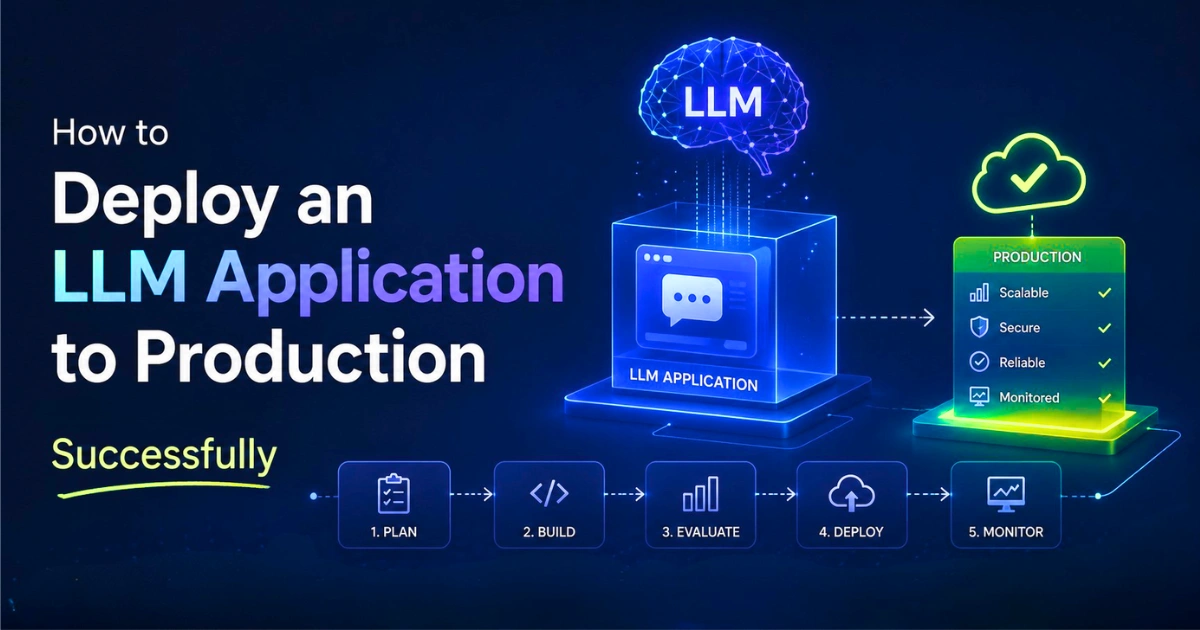

Getting an AI feature to work on your local machine is a trap. You hook up an API key, run a few test prompts, and the prototype looks great in a local demo.
The difficult part usually starts when real users begin interacting with it. Users send unexpected questions. Latency climbs during traffic spikes. Costs also behave differently in production because small inefficiencies suddenly repeat thousands of times. Logs fill up with outputs that never happened during internal testing.
One thing that becomes obvious after launch is that the model itself usually isn’t the difficult part. It’s just one component sitting inside a much larger system.
Define What “Working” Actually Means
Usually, the first conversations are about cloud providers or vector databases. Those decisions should come later. First, you have to define what success looks like. An internal support tool has completely different requirements than a customer-facing AI assistant.
Before writing production code, figure out:
- How quickly should responses appear?
- How accurate does the system need to be?
- What happens when the model is uncertain or times out?
- What is the maximum cost per request that still makes sense for the product?
If you don’t answer these early, later technical decisions become guesswork.
Model Selection and Cost
During prototypes, teams often choose the strongest, most expensive model available because it produces impressive results immediately.
That works in the beginning. But most production systems eventually end up using multiple models instead of relying on one model for everything. Tasks like query classification, entity extraction, or formatting responses don’t usually need heavy reasoning models.
Smaller models can handle the lightweight work, while the stronger models are reserved for difficult requests. Users notice response quality differences in complex reasoning tasks; they rarely notice when text is simply being categorized.
The Application Around the Model
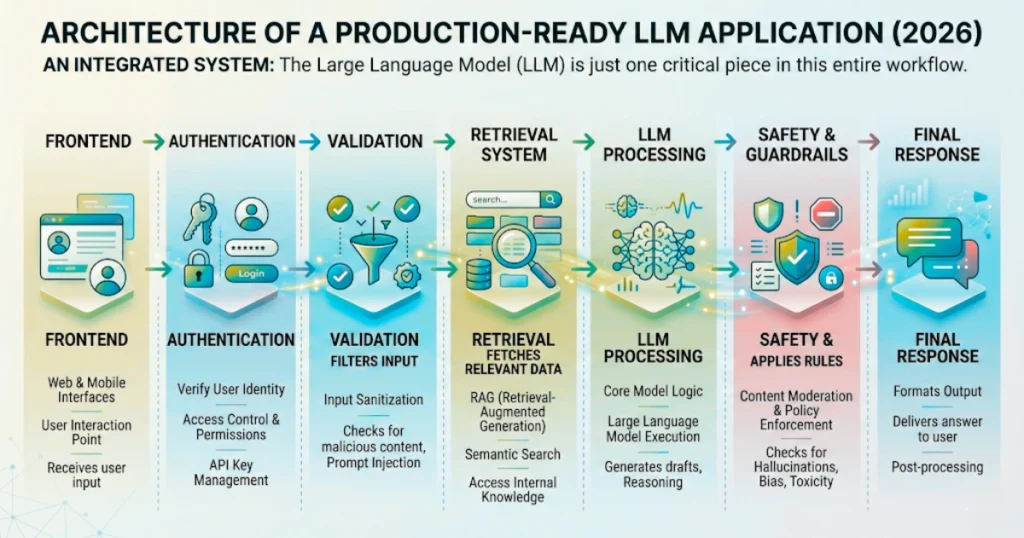
A production LLM setup usually turns into an orchestration problem. The frontend shouldn’t communicate directly with the model.
Instead, a request usually moves through multiple layers: authentication, validation, retrieval, model processing, and safety checks before a response reaches the user.
Every step solves a specific problem. If you separate these layers correctly, replacing one model with another doesn’t require rebuilding the entire application.
Retrieval Becomes Necessary Faster Than Expected
One common shortcut is putting huge amounts of information—like documentation pages or company files—directly into the prompt.
During testing, this seems to improve results. But as traffic grows, this approach usually increases response times and pushes token usage much higher than expected.
Retrieval systems usually solve this more efficiently. Rather than sending a 50-page document, the application searches for relevant pieces and passes only those smaller sections into the prompt. Responses get faster, and token usage drops.
Guardrails Matter After the First Bad Output
Most teams start thinking about safety after something unexpected reaches users—like misleading information or exposed sensitive data.
Raw model output generally needs validation before it reaches users. Common protections include filtering harmful inputs, enforcing structured JSON responses, and adding approval flows for high-risk actions.
The goal isn’t perfect behavior. The goal is reducing obvious failures before users see them.
Monitoring is Fundamentally Different
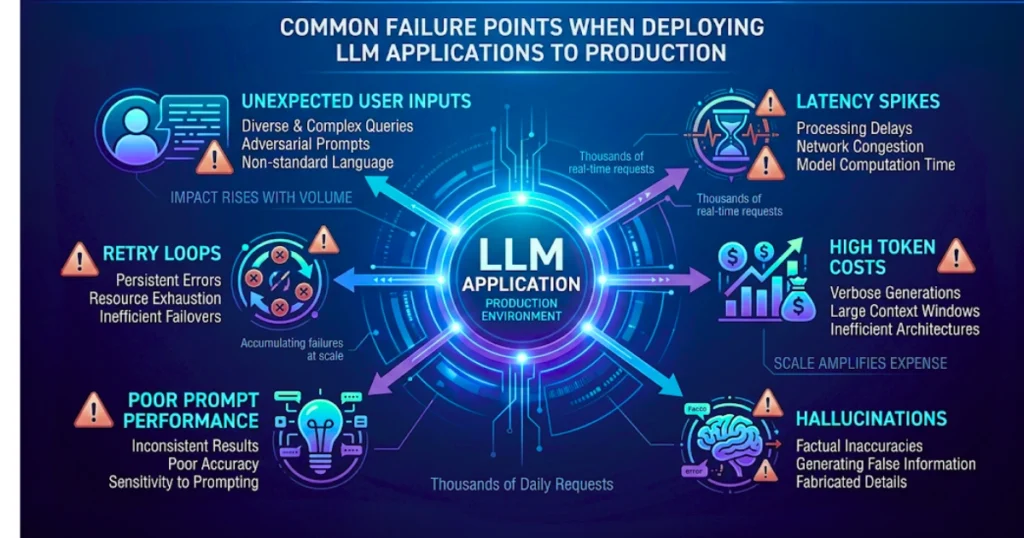
Traditional monitoring—CPU usage, error rates, response times—won’t give you the full picture here. Two versions of a system can have identical uptime while producing completely different user experiences.
You need to know which prompts generate poor results, which features consume the most tokens, and how often hallucinations occur. Prompt traces and user feedback often reveal problems that infrastructure metrics completely miss.
The Launch is Just the Beginning
Shipping the first version is usually the point where the next phase starts. Prompts change, models improve, and workflows that were efficient six months ago might not make sense today.
Treat your prompts and workflows like versioned software—test small changes, measure them, and always keep a rollback plan ready.