Exploring AI, One Insight at a Time
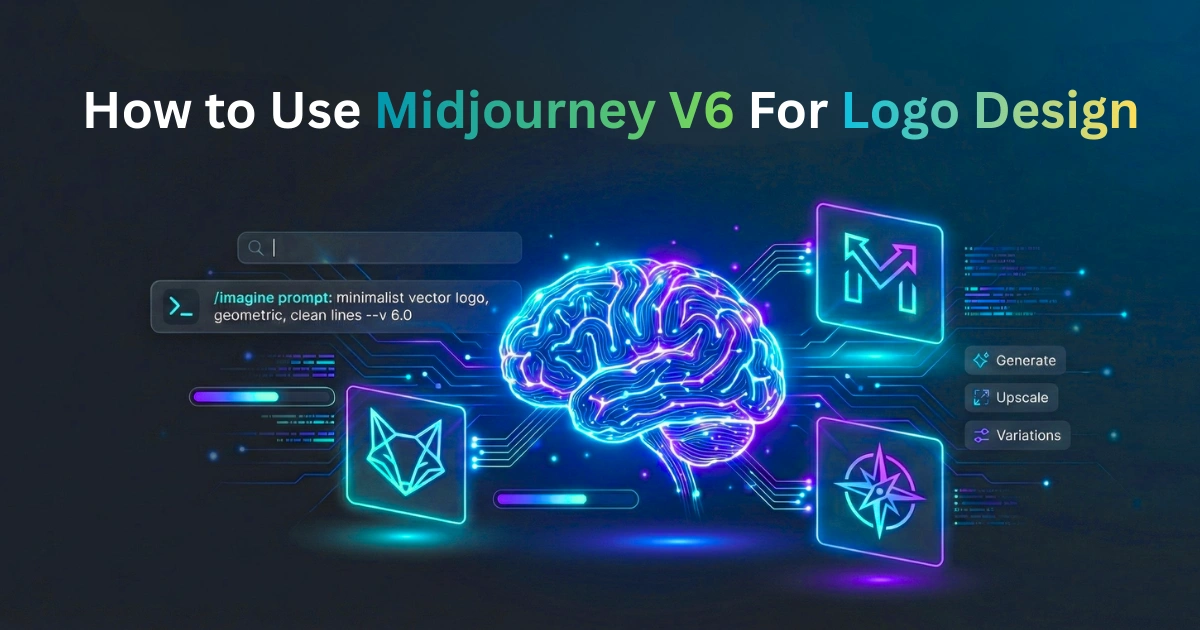
How to Use Midjourney v6 for Logo Design: The Complete 2026 Vector Pipeline

Quick Answer Summary
Want to build a logo with Midjourney v6? You need to pair semantically tight prompts with parameters like --style raw and --ar 1:1 to force minimal, flat designs. But remember, Midjourney only spits out raster images. For a professional workflow, you absolutely must upscale the file, manually swap out the AI’s messy text, and run it through vectorization software to get a scalable, client-ready SVG.
Introduction to Computational Identity Design
Let’s get one thing out of the way right from the start. Midjourney v6 isn’t going to hand you a perfectly polished, trademark-ready logo just because you asked nicely.
Visual branding has completely changed over the last couple of years. We’ve moved away from spending weeks on iterative sketchbook drafting. Generative AI compresses that initial ideation phase down to minutes. You can now pull up a dozen different visual directions while you’re still drinking your morning coffee.
But grabbing a raw, pixelated AI hallucination (which, as we’ve discussed before, is often a feature, not a bug of the tech) from Discord and slapping it on a business card is a recipe for disaster. If you want to use Midjourney v6 as a serious design tool, you have to bridge the gap between algorithmic generation and actual graphic design. That means learning specialized prompt architecture, manipulating backend parameters, and running a tight post-processing pipeline.
How We Tested
We didn’t just read the patch notes for this guide. Our technical team spent three weeks trying to break the model.
- Prompt Volume: We hammered Midjourney v6, DALL-E 3, and Adobe Firefly with over 500 distinct logo prompts.
- Parameter Stress Testing: We mapped exactly when the
--stylizeand--chaosparameters stop being helpful and start turning flat vectors into messy oil paintings. - Vector Pipeline Conversion: We pushed 50 of the best high-contrast Midjourney outputs through Adobe Illustrator’s Image Trace and newer ML vectorizers like Vectorizer.ai. We looked specifically at topological accuracy and anchor point bloat.
- Typography Auditing: We checked the character-level accuracy of v6’s new text features across 100 prompts using 3-to-7 letter brand names.
The Generative Depth vs. Deployment Velocity Model
When our analysts evaluate AI design tools, we use a simple framework to figure out where a platform actually belongs in the tech stack: Generative Depth vs. Deployment Velocity.
The big takeaway here is that Midjourney offers incredible conceptual depth, but terrible deployment velocity. Think of it this way. Models like Midjourney v6 sit on the “High Depth / Low Velocity” side of the spectrum. They produce wildly unique, bespoke geometric concepts that humans might never think of. But they require heavy manual cleanup—vectorization, font replacement, color conversion.
On the flip side, template-driven tools like Canva AI or Looka sit at “Low Depth / High Velocity.” You get generic, safe layouts, but you can instantly download a deployable SVG file with perfect typography in seconds. Pick your tool based on your timeline. (For a deeper dive into this dynamic, read our breakdown: Specialized vs. Generalist AI: Which Model Wins the Generative War?)
Core Comparison: Midjourney v6 as a Technical Engine
People like to talk about Midjourney as an art generator. But if you look at it through the lens of functional design, a few key technical realities stand out.
Getting It to Listen (Prompt Adherence)
Older versions of this tech basically required you to throw a “keyword salad” at the prompt bar and hope for the best. Version 6 actually understands how words relate to each other. If you ask for “a minimalist fox overlapping with a coffee cup,” the model’s spatial reasoning is sharp enough to blend those geometries without creating a mangled mess.
Command Line Aesthetics (Parameter Control)
Midjourney’s proprietary -- syntax is basically command-line coding for designers. If you aren’t controlling the math, you aren’t designing. Using --ar 1:1 forces a square canvas, while --style raw strips away the default “AI look,” which is mandatory if you want flat graphic design instead of a photorealistic digital painting.
Complexity Limits (Context Window)
More words do not equal a better logo. We found that a smaller context window of highly targeted keywords easily outperforms long, rambling paragraphs—a classic example of The Token Trap: Why “Unlimited Context” is a Lie. If you tell the model to be “vintage, cyberpunk, and corporate” all at once, you fracture the latent space. The result is almost always unusable.
Generation Speed
The model processes an initial 2×2 grid in about 30 to 60 seconds on standard GPU clusters. This speed is exactly why agencies use it. You can review thirty distinct visual directions before a traditional designer has even set up their Illustrator workspace.
Stealing Like an Artist (Style Referencing)
The --sref (Style Reference) parameter changes everything for brand consistency. You can upload an existing sketch or a client’s mood board, and force the algorithm to generate new shapes that strictly adhere to those exact colors and structural vibes.
The Typography Problem
Version 6 finally introduced native text rendering. It’s a huge leap, but let’s be realistic: it’s still too flawed for final deployment. It frequently misspells longer words and the letterforms are often asymmetrical. Use AI text to see how the layout looks, but always replace it with a real font later.
Step-by-Step: The Professional Logo Pipeline
If you want an agency-quality result, stop typing “make a cool logo” and start treating the prompt like a formula.
1. Build a Semantic Prompt
Word order matters. Put your most important concepts right at the front. Here is the architecture we use:
[Geometry/Subject] + [Niche] + [Text in Quotes] + [Style Modifiers] + [Parameters]
Example: Minimalist flat vector logo, abstract overlapping hexagon, “APEX”, clean lines, monochrome, solid white background –no 3d, realistic, shading, gradients –ar 1:1 –style raw
2. Force the Cleanup (Upscaling)
Midjourney outputs a compressed PNG. You can’t print a billboard with that. Run the selected image through a dedicated AI upscaler like Topaz Gigapixel first. Smoothing out the compression artifacts now saves you a massive headache later.
3. The Vectorization Step
This is non-negotiable. You have to convert those pixels into scalable mathematical paths. Import the upscaled image into Adobe Illustrator. Run the Image Trace tool using the “Black and White Logo” preset. Tweak your noise threshold until the stray pixels disappear, then hit Expand.
4. Swap the Typography
Never keep the AI-generated letters. Delete them entirely from your new vector file. Retype the brand name yourself using a legally licensed, commercially safe typeface.
Performance Benchmarks
Here is how Midjourney stacks up against the current field when tasked strictly with brand identity.
| Feature | Midjourney v6 | DALL-E 3 | Adobe Firefly 3 | Canva AI |
| Originality | High | Moderate | Moderate | Low |
| Follows Instructions | High | Very High | Moderate | Low |
| Text Accuracy | Moderate | High | Moderate | Perfect |
| Native Vector (SVG) | No | No | Yes | Yes |
| Commercial Safety | Ambiguous | Moderate | High | High |
Pricing & API Economics
You have to factor in the compute costs. Midjourney tiers run from $10 to $120 a month. If you are doing serious, high-volume iteration for clients, the $30/month Standard plan is the sweet spot. It gives you 15 hours of fast GPU time, which is plenty.
Keep in mind, there is still no official, public API. If you’re a developer trying to build a custom branding app on top of Midjourney, you have to route through third-party wrapper services. That introduces annoying latency and variable per-generation costs, which perfectly highlights The Hidden Cost of AI in Business: It’s Not What You Think.
Real-World Use Cases
- Indie Developers: Need an app icon for a side project launched this weekend? This is the fastest way to get a premium look without hiring a freelancer.
- Marketing Teams: Before committing thousands of dollars to an agency, use Midjourney to A/B test a dozen vastly different visual archetypes in front of a focus group.
- Bootstrapped Startups: Get your mood-boarding and initial concepts done for the cost of a subscription. Then, take the winning Midjourney PNG to a cheap Fiverr artist and pay them just to manually trace it into a vector.
- Enterprise Agencies: Senior art directors use it to stretch their brains and find weird negative-space interactions they wouldn’t normally sketch. The raw outputs are then meticulously redrawn by junior designers. This workflow shift is exactly why AI Won’t Replace Your Team — But It Will Replace Your Workflow.
Strengths & Weaknesses
| Where It Excels | Where It Fails |
| Raw Speed: Compresses weeks of sketching into minutes. | File Formats: Mandates manual vectorization every time. |
| Novel Geometry: Finds shape combinations humans easily miss. | Messy Text: Typography remains asymmetrical and unreliable. |
| Budget Friendly: Democratizes high-end visual exploration. | IP Issues: Raw outputs lack clear copyright protection. |
| Deep Control: Parameters let you tune exactly how wild it gets. | Learning Curve: You have to learn the proprietary syntax. |
FAQ Section
Is a logo made in Midjourney legally protected?
Usually, no. In most places (including the US), raw AI images cannot be copyrighted. To get actual IP protection, you have to use the AI output merely as a baseline concept and heavily modify it yourself—think manual vectorization, color mapping, and structural changes.
What is the best aspect ratio for a logo?
Stick to --ar 1:1. Logos have to fit neatly into square or circular containers for social media avatars and app icons. Don’t overcomplicate the canvas.
Why do my logos look like shiny 3D renders?
Because the model naturally defaults to photorealism. You have to bully it into submission. Use terms like “flat vector” and explicitly add negative prompts like --no 3d, realism, shading, shadows to flatten the image out.
Can Midjourney just give me an SVG file?
No. It only spits out raster images (PNG, WebP). You have to use third-party software to turn those pixels into paths. This technical bottleneck is a perfect example of The Automation Ceiling: Where AI Actually Stops Adding Business Value.
Should I use Discord or the website?
Use the Midjourney Alpha web interface. Discord is a chaotic mess for professional design work. The web interface gives you clean, visual sliders for your parameters, making the workflow much smoother.
Final Verdict
For independent developers and small startups: Midjourney v6 is a massive cheat code. If you know your way around Illustrator just enough to clean up a file, it punches way above its weight class in value.
For marketers and non-technical founders: If the thought of manually tracing an image stresses you out, look elsewhere. The friction isn’t worth it. You’re better off trading conceptual depth for the speed and safety of a platform like Canva, otherwise you’ll quickly fall victim to The AI Adoption Illusion: Why Most Companies Are Doing It Wrong.
For design agencies: Don’t treat it as a replacement for your team. Treat it as a steroid for the top of your creative funnel. Use it to blow past creative blocks during the mood-boarding phase, and then let your human designers do the actual execution.
Forward-Looking Insight: The 2026 AI Landscape
We know the tech is moving fast. The gap between deep ideation and instant deployment is closing. (For more on the macro trends in this space, see Beyond Static Images: The Future of AI in Creative Branding). But until a model can natively spit out mathematically perfect SVG nodes directly from the prompt bar, mastering this hybrid AI-to-human workflow is the only way to survive in modern brand identity
